
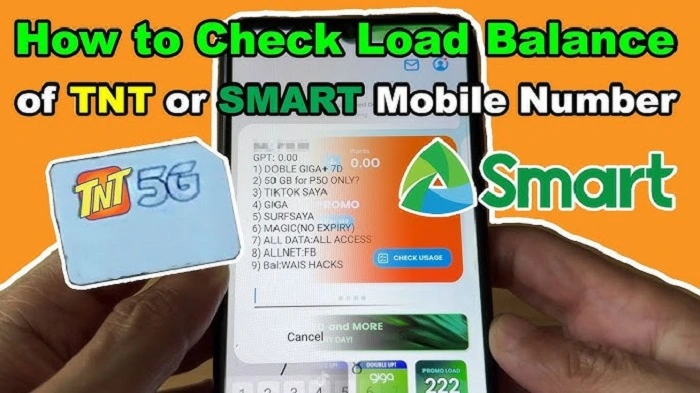
Magic Data has become popular because it removes the pressure of traditional mobile data promos. Unlike regular offers with expiry dates, Magic Data stays in your account until fully used, giving you the freedom to browse, stream, or message at your own pace without worrying about time limits.
Even with this flexibility, one question always comes up: how much data do I have left? Maybe you downloaded Magic Data weeks ago, use it only for messaging or navigation, or plan to stay online all day. Knowing your remaining balance helps you plan your usage.
This guide will show you how to check your Magic Data balance in 2025, step by step, in a simple, easy-to-follow style.
What Is Magic Data Balance?
Magic Data Balance

The remaining balance of the Magic Data you have will be shown in your Magic Data balance. Unlike standard data offers, your Magic Data balance does not reset every month and will not expire after a set number of days. It will be active until you have consumed every last megabyte of your balance.
The fact that Magic Data has a long shelf life means that quite a number of users end up forgetting how much is left. Some people will only keep it for internet backup. Some will just use it little by little to browse or navigate. The need to check your balance is therefore still there even when your data does not expire.
Magic Data balance checking is done in exactly the same way for both Smart Prepaid and TNT subscribers of Smart Communications.
Importance of Checking Magic Data Balance
It does not necessarily mean that there is no awareness, since checking the balance helps to create an understanding, particularly when the need arises to have internet services, perhaps while looking for another job or during emergencies.
People will normally check the balance of their Magic Data for several reasons.
- To avoid running out of data unexpectedly
- To decide whether a reload is required
- To verify Magic Data is operating properly
- To organize live streaming, work, or travel
- To budget mobile data expenditure effectively
It only takes a quick check to keep your usage seamless.
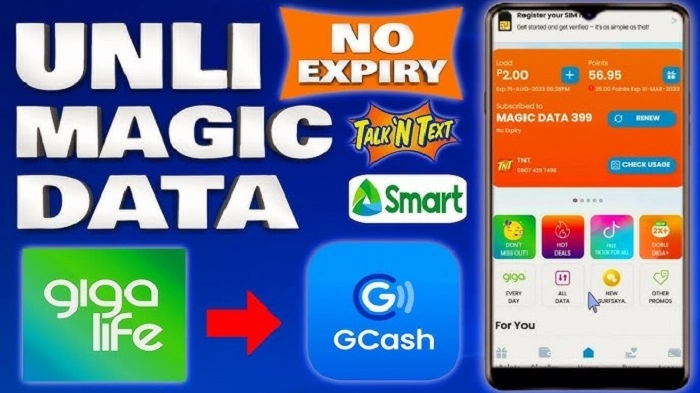
Verify Magic Data Balance via the Giga Life App
The GigaLife App is the most accurate and most convenient way to look up your Magic Data balance. Your remaining data is clearly shown and is always up-to-date, meaning no guesses!
“This tool works best if you want a clear overall picture of your account. Magic Data shows up as a separate item from your expiry promotions, so you can monitor what you still have available very easily.”
To check the balance on your Magic Data with the GigaLife App, follow these steps.
- Launch the “GigaLife App”
- Log in using your Smart or TNT mobile number
- remain on the home screen
- Finding the Magic Data Area
- Check your available Magic Data Balance
However, for most people, this option is the best available.
Check Magic Data Balance by Dialing *123#
In some situations, maybe you do not have data or maybe the user does not want to open the app. In such situations, the option of dialing *123# is greatly useful.
It can be used on smartphones and feature phones. It also does not require internet connectivity, meaning that it can be used anywhere.
For checking your balance on Magic Data by using the code “*123#”, follow these steps.
- Dial *123# on your cellphone
- Choose the balance/data option
- Select either Magic Data or mobile data balance
- Interpret the balance indicated on the screen
It is fast and does not involve data consumption.
Checking Magic Data Balance by Dialing 121#
Another alternative offered to Smart and TNT subscribers is *121#. Most of its subscribers are already familiar with this code, considering it has been used by these networks for such a long time.
It is like *123# and is helpful in case one is not working.
To check your Magic Data balance by using *121#, follow these steps:
- Dial *121#
- Press the options button to go to the balance inquiry menu
- Choose mobile data balance
- Check your available magic data.
The balance will be directly observable on your monitor.
Checking Magic Data Balance Through SMS Notifications
Smart and TNT send notifications about Magic data usage through SMS notifications. The notifications could include balance notifications, especially after data reloading or after consuming a lot of data.
This process occurs automatically without your intervention. The process, though, can only be considered a reminder and not an actual tracking mechanism.
In situations like the following, you can receive text messages.
- After registering Magic Data
- After heavy data usage
- Starting your phone again
- During device switching
For tracking, it is still better to refer to the application or USSD codes for accurate information.
Verify Magic Data Balance with Smart Online Account
There are also users who want to check their account balance via a browser and not a mobile app. Through Smart’s online account portal, you can see the active promos and balances available.
It is suitable for laptops and tablets. In case you cannot access your mobile phone, this is a handy feature to have.
To find your Magic Data online balance, you need to follow the steps below:
- Go to the smart online account website
- Log in using mobile number
- Go to Account or Usage details
- See active data promotions
The above method can now be compared to a third method, which is presented below
What Method is Most Accurate?
All methods are effective, however, one is far better than the rest. It is the GigaLife App, which offers the most precise and updated balance for Magic Data. It reloads instantly with a clear distinction between Magic Data and other promotions.
It is always safe to use USSD codes such as *123# and *121#. These come in handy when you are working offline. SMS notifications will act as reminders, but you shouldn’t rely on them entirely.
Most people will first use the app and then fall back on USSD codes.
How Often Should You Check Magic Data Balance?
As for checking the balance, there is no hard and fast rule on the number of times per week/month you need to perform the task. It all depends on usage.
One way to simplify is through a simple set of
- Daily visitors may visit periodically every few days
- Light user: Better to query every two weeks.
- Pocket WiFi consumers should look before long-term connectivity
- Backup users may check only when required
Magic Data brings freedom, and awareness is what keeps it chill.
Universal Issues Encountered in Checking Magic Data Balance
Occasionally, there may be minor problems that come up while you check your account’s balance. These issues are mostly temporary and could be resolved easily.
Below are common problems and their solutions.
- Not able to open app, try rebooting your phone or app upgrade
- USSD não responde, aguarde um instante e tente novamente
- Balance looks wrong, restart app or try again
- No message has been received, use the application/USSD instead
“Switching techniques will usually resolve the problem quickly.”
Tips to Manage Magic Data Better
If your Magic Data is to last longer, there are habits you should adopt. These habits will not affect how you use your cell phone but will eliminate unnecessary losses of your Magic Data.
- Switch off video auto-play on social media apps
- Update apps via WiFi whenever possible.
- Check mobile data usage through phone settings
- Verify balance before streaming or gaming
- Always keep the GigaLife App updated
Small changes lead to big differences later on.
Magic Data Balance FAQs
How can Magic Data balance be checked easily?
The quickest method to determine Magic Data balance is by utilising GigaLife App.
Would it be possible to check my Magic Data balance without internet connectivity?
To check the balance in Magic Data without using internet data, dial *123# or *121#.
Does looking at Magic Data balance consume mobile data?
Checking the Magic Data account balance using the USSD codes does not use mobile data.
Will Smart send automatic Magic Data balance alerts?
Smart may send occasional SMS updates, but these are not to be taken as the primary tracking system.
Can TNT subscribers inquire about Magic Data balance like Smart subscribers?
To check the balance on Magic Data, TNT subscribers can use the same procedure as Smart Prepaid.
Why does my Magic Data balance update slowly at times?
While using the USSD codes, the balance updates might take a little time compared to the app method.
Is Magic Data balance independent from the regular data promotion?
Magic Data balance is maintained separately from the expiring data promos balance.
While the best thing about Magic Data is that it won’t disappear on its own, staying aware of your remaining balance is what truly gives you peace of mind. Think of it like checking your car’s fuel gauge—you don’t do it because the gas will expire, but because you want to know exactly how much further you can go. Regularly checking your balance ensures that you’re never caught off guard during an important work meeting, an online exam, or while navigating a new route. By spending just a few seconds on the GigaLife App or dialing a quick USSD code, you transition from being a passive user to a conscious one, ensuring your “no-expiry” experience remains seamless and stress-free. After all, Magic Data is all about control, and knowing your numbers is the ultimate way to stay in charge of your digital life.
Magic Data was intended to make mobile internet access pressure-free. The knowledge of how to check your balance helps to ensure a stress-free process. Since you know what your remaining balance is, you will be able to plan accordingly.
The GigaLife App provides the most clear image, and USSD Codes and SMS Notifications serve as very important backups. Choose a method depending on your case and enjoy flexibility in what Magic Data is meant to provide.