
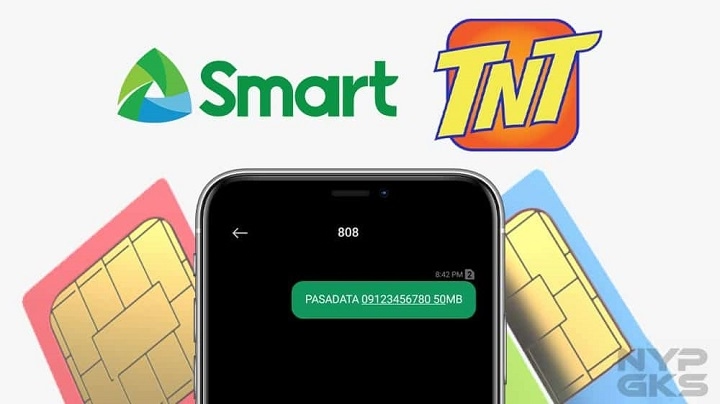
Smart Pasadata is a convenient data-sharing tool that allows selected Smart subscribers to share their mobile data with other Smart numbers. Instead of buying separate loads or data packs, you can simply request to send some of your mobile data to another Smart subscriber.
Whether you want to help a friend, a family member, or another Smart user, the Pasadata service is a great way to share your extra data. Here, you will find all the information to know how Pasadata Smart works and how to use it.
What is Smart Pasadata?
Smart Pasadata refers to a data-sharing service that allows select Smart subscribers to share mobile data with another Smart number.
Instead of sharing load, you can transfer some of your mobile data to another subscriber so that they can use the internet right away.
Depending on your promo, this option may only be available sometimes.
Smart Pasadata Requirements
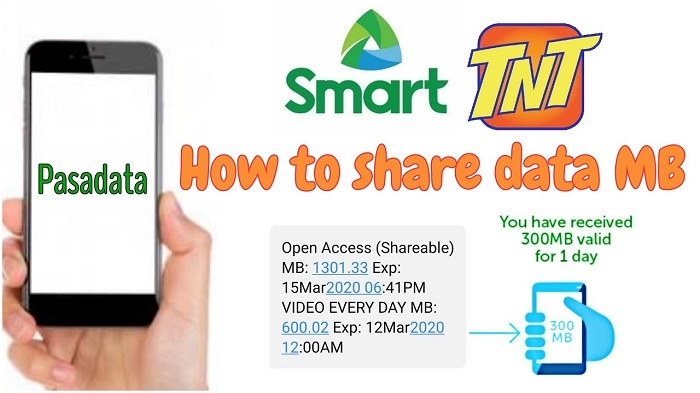
Before you start, below are the requirements you must fulfill to use the Pasadata service:
- Active Smart SIM
- Eligible Smart data promo
- Sufficient mobile data
- Valid recipient Smart mobile number
- Smart network signal
If your current promo is not applicable for Pasadata, you cannot share your mobile data using this service.
How to Pasadata Smart
In general, you can easily Pasadata Smart with other people.
First, you need to check your data balance, then follow the steps below:
Check Your Data Balance
Make sure that you have sufficient data in your current promo before attempting to send any data to another subscriber.
Open the Smart Data Sharing Option
Depending on your promo, you may need to open the Smart data-sharing option in the Smart menu or any official Smart application that you are using.
Enter the Recipient’s Number
Make sure to enter the correct recipient’s number when using this service.
Choose Your Preferred Data Allocation
Then, choose how much data you want to transfer to the recipient’s phone. The available data option will depend on your current promo.
Confirm Your Transaction
Once you have confirmed your transaction, you and the recipient will get a confirmation message or text about the successful transfer of your mobile data.
How to Check if Your Pasadata is Successful
You can check whether your Pasadata is successful by:
- Waiting for the confirmation message
- Checking your data balance
- Asking the recipient to confirm if their phone received an additional data allocation
Once the transaction is completed, it will take a while before your data allocation will reflect in your recipient’s mobile phone.
Why Can’t I Share My Data?
In some cases, you might not be able to Pasadata Smart. Some of the common reasons why this issue might occur are:
- Your data balance is not sufficient
- Your data promo is ineligible
- Your recipient’s number is incorrect
- Poor network connection
- Data subscription is already expired
- Temporary technical difficulty with Smart’s service
If you encounter this issue, you may need to check the above reasons why you cannot share your mobile data. In some cases, you may need to wait before trying again or ask Smart Philippines for help.
Tips to Remember When Sharing Mobile Data
To avoid problems when Pasadata Smart, make sure to remember these helpful tips.
First, make sure that the recipient has an active Smart SIM. Second, double-check the recipient’s number before confirming your transaction. Third, always make sure that you have a good network connection and an active data subscription.
FAQs
Who can receive shared data?
The recipient should be a Smart subscriber. In most cases, you can only share data with another Smart subscriber. Make sure that the recipient uses an active Smart SIM and has sufficient data allocation.
Does Pasadata consume mobile load?
No, you cannot use Pasadata to share your mobile load. This service only allows you to share your mobile data.
Can I share a minimum amount of data?
The amount of data you can share will depend on your promo. Make sure to choose the minimum data allocation offered by your preferred promo.
Why is my Pasadata unsuccessful?
Your Pasadata may be unsuccessful if your promo is not applicable for this service, your data balance is insufficient, or your recipient’s mobile number is incorrect.
Can I share data more than once?
Yes, you can share data more than once as long as your promo is still active and you have sufficient data balance.
Smart Pasadata is a great service for those who want to share their mobile data with family members or friends. Before using this service, make sure to check if your data promo is applicable for Pasadata, the recipient’s number is valid, and you have sufficient data allocation. In addition, you need to follow the proper procedure when sharing your mobile data to ensure that the transaction will be successful.