
Being out of prepaid load can be really annoying in this day and age. Whether you need to send an urgent text or make a call, you always need to have some form of credit available on your phone. Luckily, Smart Prepaid subscribers may be able to use Smart’s very own Loan-a-Load borrowing feature, which can help load up your phone with whatever you need! The amount you borrowed, combined with any applicable service fee will be deducted upon your next successful reload! This guide will walk you through how to utang load in Smart, who is eligible for such offers, the repayment guidelines, and how to troubleshoot the unavailability of the service.
What Is Smart Loan-a-Load?
Smart Loan-a-Load is Smart’s emergency borrowing service for qualifying Smart Prepaid subscribers. It enables customers to get additional load or a promo of their choice despite having insufficient balance on their accounts. It should be noted that the offers may differ between subscribers depending on their subscription and account needs, as well as eligibility. Therefore, you and your friend may see different promos. Smart Loan-a-Load should not be utilized as a means of getting free load, since you will always have to pay back the amount you borrowed with your next reload, along with any applicable service charges.
How to Utang Load in Smart via Dial Pad
Perhaps one of the easiest ways to borrow loads in Smart is through the dial pad.
Here are the steps:
Open your dial pad
Launch the dial pad application on your smartphone.
Dial 5623#
Call 5623# with your smartphone SIM.
Accept the Terms and Conditions
Make sure to accept the Terms and Conditions if you want to proceed.
Check Available Offers
The dial pad will display offers available for borrowing through Loan-a-Load
Choose an Offer
Pick out the amount of load or promo you want to borrow.
Confirm the Request
Once you’re set with your request, confirm it and wait for confirmation from Smart
That’s it! Your borrowed load or promo should be reflected on your mobile phone after confirming the request.
How to Borrow Load in Smart Using Facebook
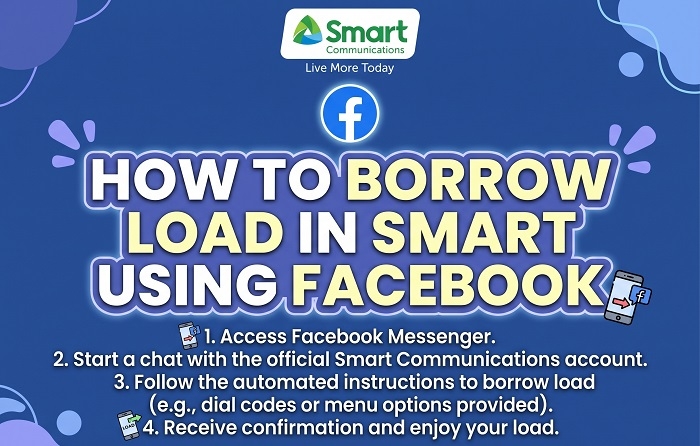
Smart subscribers with Android devices may also find Smart Loan-a-Load on Facebook Free Mode. Open the Facebook application while connected to Smart mobile data and go to the mobile center/data tab. There, you should see the available offers. All you have to do is tap “Get” next to the amount you want to borrow.
Who Is Eligible to Utang Load in Smart?
Not all Smart subscribers are eligible to utang load in Smart. In order to borrow load through Smart Loan-a-Load, customers must:
- Be registered on Smart for at least 30 days
- Have no outstanding Smart Loan-a-Load balance
- Meet Smart’s eligibility criteria based on their account or usage
- See available offers on any of the borrowing channels mentioned above
Additionally, if you want to utilize the Facebook Free Mode application to borrow loads, you must be utilizing an Android device and have the Facebook Free Mode feature enabled. As always, eligibility depends on Smart’s systems, which means that although you may meet the requirements mentioned above, you may still not see any offers available for borrowing.
How Do You Repay Smart Loan-a-Load?
You don’t actually have to go through a repayment process when you borrow loads in Smart. The amount you borrowed, along with any applicable service charges, will simply be deducted from your next reload.
For example, if you borrowed a promo and subsequently bought a regular load with your next reload, Smart will deduct the amount you still owe first before debiting the remaining amount to your mobile phone. You should make sure your next reload is high enough to cover the amount you owe for the borrowed amount and the service fee, if any. You won’t be able to borrow again until you’ve repaid any outstanding balance.
What If You Cannot Borrow Load?
It’s entirely possible that you may dial 5623# but won’t see any offers appearing on your dial pad. This may be because, at the moment, your account isn’t eligible for Smart Loan-a-Load borrowing. Here are several things that might be the reason why you aren’t able to borrow load in Smart:
- Your Smart SIM has not been active for at least 30 days
- You still have an outstanding Loan-a-Load balance
- You haven’t met Smart’s eligibility requirements
- Smart Loan-a-Load is currently unavailable for borrowing
- You haven’t received any offers for Smart Loan-a-Load
- There is currently a problem with your cellular signal
Try turning your phone off and back on again and check if the issue has been resolved. You can also try borrowing again once you’ve reloaded your phone to clear any outstanding balance.
Alternative: Can I Ask a Friend for Smart Load?
If you are unable to borrow load through Smart’s system, you may always ask another Smart subscriber for help. In order to do that, you’ll need to dial 808 followed by your friend’s 11-digit Smart mobile number. For example, 80809191234567 Smart will then prompt your friend to send you a ₱5 load. They’ll have to reply with YES in order to grant you the ₱5 load, which will last until midnight.
FAQs
Does Smart Loan-a-Load offer free load?
Unfortunately, Smart Loan-a-Load cannot be used to get free load. Borrowed amounts and applicable service charges will be deducted from your next reload.
Can I borrow money if I have an outstanding balance?
You can only apply for another Smart Loan-a-Load after you’ve paid off your outstanding balance.
Why does 5623# not work?
The issue may stem from your eligibility, Smart’s technical issues, and/or poor network coverage.
Can Smart Postpaid subscribers borrow loads?
No, Smart Postpaid subscribers can’t borrow loads since they’re required to use their monthly plan limits.
Now that you know how to utang load in Smart, you should always have credit in your prepaid mobile phone when you need it most. Eligible Prepaid subscribers just need to dial 5623# to view the available promos in their area, and choose the amount they want to borrow. Remember that borrowed load is not free, since the amount, along with service charges, will be deducted from the next reload.