
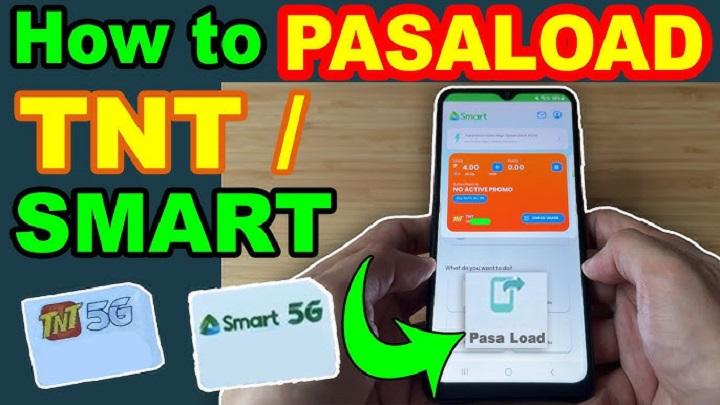
So you need to pasa load on TNT, right? Maybe your friend ran out of load. Maybe a family member needs to call someone right away. It happens a lot. The good thing is that TNT makes this process very simple. You can transfer prepaid load from your number to another TNT or Smart number in just a few seconds. This feature is very helpful during emergencies. Instead of telling someone to go outside and buy a load, you can send it directly from your phone. Even now in 2026, it remains a go-to prepaid option. Others rely on it just as much – sending support to friends, family, or someone at work. Here’s how it all works, broken down simply. The right structure comes first, followed by costs and boundaries. Examples show what happens in real situations. Most issues people run into are predictable once you see the pattern. Each part connects without extra noise.
What Is Pasa Load in TNT?
Pasa load simply means sending load balance from one prepaid number to another. For example, if you have ₱100 load and your brother has no balance, you can transfer ₱20 to him.
After receiving it, he can use that balance for:
- calls
- texts
- mobile data
- promo registration
It is basically a balance sharing feature.
Who Can Use TNT Pasa Load?
This service is mainly for prepaid users.
It usually works for:
- TNT to TNT
- TNT to Smart Communications
- Smart to TNT
Because TNT and Smart are under the same network group, load sharing between them is usually supported. This makes it very convenient for families using different SIMs.
How to Pasa Load TNT
This is the most common method. Open your text messaging app. Create a new message. Use this format:
PASALOAD mobile-number amount
Then send it to:
808
Example
If you want to send ₱20, type:
PASALOAD 09191234567 20
Send it to 808.
That’s it. It only takes a few seconds.
Another Format Some Users Use
Sometimes TNT also supports the old format:
<11-digit-number>*<amount>
Send this to 808.
Example:
09191234567*20
Both methods may work depending on the latest TNT system. The text format with PASALOAD is usually easier to understand.
Confirmation Step
After sending the request, TNT may send you a confirmation text. It usually asks you to reply:
YES
This extra step helps prevent mistakes. Once you confirm, the load will be transferred. Both sender and receiver normally receive a text confirmation.
How Much Is the Fee?
A small service fee usually applies.
This is often ₱1 per transaction.
For example:
- send ₱10 = total deduction ₱11
- send ₱20 = total deduction ₱21
- send ₱50 = total deduction ₱51
Always keep a little extra balance for the fee.
Minimum and Maximum Amount
TNT usually has transfer limits.
A common limit is:
- minimum = ₱2
- maximum = ₱50 per transaction
Sometimes daily transfer limits also apply.
One limit might let you send just a set total each day. Rules shift now and then, so look up what TNT says today.
How Long Does It Take?
Most times it happens right away. Loads appear quickly for most people. When traffic builds up, though, a minute or two might slip by before it shows.
Can You Send a Load to Smart?
Yes, usually yes. Because TNT and Smart Communications are under the same group, the feature commonly works between the two. This is one of the reasons many people like using TNT.
Why People Use Pasa Load
This feature is very useful in daily life.
Common reasons include:
- emergency calls
- running out of balance
- helping parents
- helping children
- sending load to a friend
- quick promo registration
For many people, this is faster than using e-wallet apps.
Common Problems and Fixes
Sometimes pasa load does not work. Here are the most common reasons.
Not Enough Balance
This is the most common issue. If you want to send ₱20, you need more than ₱20 because of the service fee.
For example, keep at least ₱21.
Wrong Number
Always double-check the recipient number. Even one wrong digit can send the load to someone else.
Daily Limit Reached
Some users hit the daily transfer limit. If this happens, try again the next day.
Temporary Network Issue
Sometimes the network is busy. Wait a few minutes and try again.
Important Safety Tip
Always verify the number before confirming. Once the load is sent, it usually cannot be reversed. That means you may lose the balance if the number is wrong.
So always check twice.
Can You Transfer Promo Data?
Pasa load is usually for regular peso balance. Promo data sharing may be a separate feature depending on your active promo. For example, some TNT data promos allow data sharing, but that is different from regular load transfer.
Example Transfer Table
| Amount Sent | Fee | Total Deducted |
| ₱5 | ₱1 | ₱6 |
| ₱10 | ₱1 | ₱11 |
| ₱20 | ₱1 | ₱21 |
| ₱50 | ₱1 | ₱51 |
Best Time to Use Pasa Load
This feature is best when someone needs an urgent load.
For example:
- late-night emergency
- no nearby store
- urgent call
- promo renewal
- internet data need
It saves time and helps quickly.
FAQs
How do I pasa load TNT ?
Text PASALOAD mobile-number amount and send it to 808.
Can I send it to Smart ?
Yes, usually yes.
Is there a fee ?
Yes, a small fee like ₱1 may apply.
What is the minimum amount ?
Usually ₱2.
Is it instant ?
Yes, usually within seconds.
Can I cancel it ?
Usually no.
Can I send data instead of load ?
Regular pasa load is usually for peso balance only.
Finding a way to send credit through TNT turns out to be quite straightforward. Faster delivery happens when you send the right format to 808, verify once, then the recipient sees it show up nearly right away. Among 2026’s top prepaid perks stands this one, handy when crises hit or relatives need support. Quick to use, uncomplicated, yet fits right into your day. It just works without getting in the way.