
So you want to know how to do balance inquiry in TNT, right? Maybe you just reloaded your SIM. Maybe you used a promo and now want to check how much load is left. I get it. This is one of the most common things TNT users need every day. The good thing is that checking your balance in TNT is very simple. You can do it in a few seconds using your phone, a dial code, text, or the app. In 2026, TNT still makes balance inquiry quick and easy for prepaid users. Let me explain everything in a nice and easy way.
What Is Balance Inquiry?

Balance inquiry simply means checking how much prepaid load or data balance you still have.
For example, you may want to check:
- remaining regular load
- remaining promo data
- text balance
- call minutes
- promo expiry
This helps you know when to reload or subscribe again.
Why Balance Inquiry Is Important
A lot of people check their balance every day.
It helps you know:
- if you still have enough load
- how much promo data is left
- when your promo expires
- whether you need to reload
This is especially useful if you use data promos often.
How to Check TNT Balance Using Dial Code
This is the easiest and most common method. Open your phone dialer.
Dial:
*123#
Then press call. A menu will appear.
Choose the option for:
- balance inquiry
- my account
- load balance
- data balance
The exact menu may slightly change, but the balance option is always there. This method is fast and works on almost all phones.
Another Common Balance Inquiry Code
Some TNT users also use:
*888
Then press call. This may directly show your load balance or give menu options. Depending on the latest TNT system, one of these methods usually works.
Check Balance Through the Smart App
Another easy way is through the Smart App. This is one of the best methods in 2026.
Steps:
- open the app
- log in with your TNT number
- go to dashboard
- check your balance
You can usually see:
- load balance
- data balance
- promo status
- expiry date
This method gives the most details.
How to Check Data Balance
Sometimes users want to check data only.
You can do this using:
*123#
Then choose the internet or promo option.
This usually shows:
- remaining MB or GB
- promo name
- expiration
This is very useful for data users.
How to Check Promo Expiry
Promo expiry is important. Sometimes you still have data left, but the promo may expire soon.
You can check this by:
- using *123#
- checking the Smart app
- checking confirmation texts
The app usually shows the exact time and date.
Can You Check Balance Through Text?

Yes, sometimes TNT may also support text-based inquiry depending on the promo system. Some promos send automatic updates through SMS.
For example, after using data, TNT may send:
- remaining data
- remaining load
- promo expiry
These texts are useful.
Why Some People Prefer *123#
Many users still like the dial code method.
Reasons:
- works on any phone
- no internet needed
- very fast
- free to use
Even basic keypad phones can use it.
Why Some People Prefer the App
The Smart App is more detailed.
It shows:
- exact peso balance
- remaining GB
- promo history
- expiry date
- available promos
This makes it easier to manage your SIM.
Common Problems During Balance Inquiry
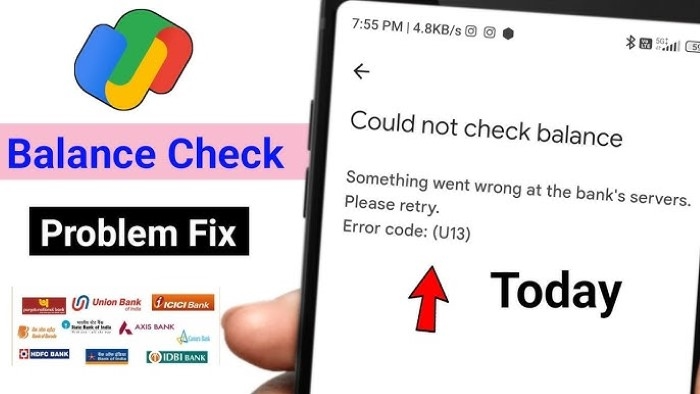
Sometimes users face issues. Here are common reasons.
No Signal
Weak signals can stop the code from working. Try again in an area with better reception.
Wrong Code
Always make sure you dial:
*123#
or
*888
A missing symbol can cause errors.
Network Busy
Sometimes the network is temporarily busy. Wait a minute and try again.
Is Balance Inquiry Free?
Yes, usually yes. Checking your balance through *123# is generally free. This is why many people use it often.
How Often Should You Check?
It depends on how you use your phone.
Good times to check include:
- after reloading
- after subscribing to a promo
- after watching videos
- before making calls
- before hotspot use
Daily checking is common for heavy users.
Can You Check Remaining Load After Pasa Load?
Yes.
After using pasa load, you can check the remaining balance using:
*123#
This helps confirm the deduction.
Is It Important for Promo Users?
Very important.
Promo users need to check:
- data left
- expiry
- bonus data
- shareable data
This helps avoid sudden internet cut-off.
Quick Summary Table
| Method | Best For |
| *123# | quick balance check |
| *888 | alternate method |
| Smart App | detailed info |
| SMS alerts | quick updates |
FAQs
How do I check TNT balance ?
Dial *123# and choose a balance inquiry.
Is it free ?
Yes, usually free.
Can I check data balance ?
Yes, through *123# or the app.
Which is better, app or dial code ?
The app gives more details.
Can keypad phones use it ?
Yes.
How do I check promo expiry ?
Use the app or *123#.
Actually, handling checks inside TNT doesn’t take much effort. Hit 123 first – tune in, then choose what works. If you need more, take out your phone, launch the Smart App either way. Fast? Sure. Does it cost anything? Never. Using it every day brings actual support, quietly showing up over time.