
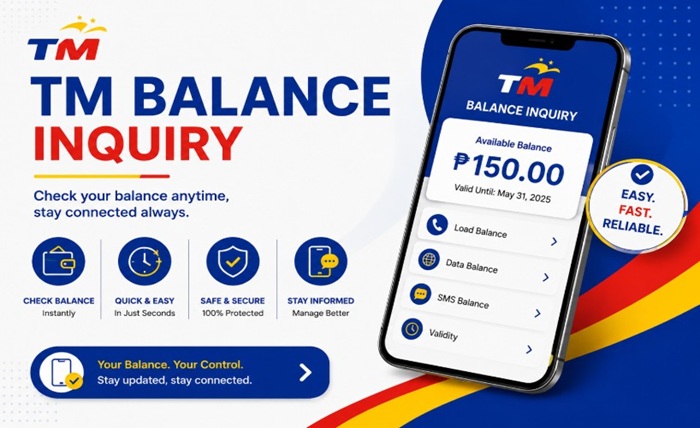
Checking your TM balance regularly helps you stay updated on your remaining load, mobile data, and active promos. Whether you use TM for calls, text messages, gaming, social media, or internet browsing, monitoring your balance prevents unexpected service interruptions.
TM (Touch Mobile) offers several easy ways to check your prepaid balance in the Philippines. Users can verify their remaining load through USSD codes, the GlobeOne app, SMS services, and mobile data monitoring tools.
This updated 2026 guide explains how to perform a TM balance inquiry, check data usage, verify promo validity, troubleshoot common issues, and manage your TM account more efficiently.
What Is TM Balance Inquiry?
TM balance inquiry is the process of checking your remaining prepaid load, internet data balance, and active promos linked to your TM SIM card.
Users commonly check:
- Regular load balance
- Remaining mobile data
- Promo validity
- Call and text allocations
- GCash-linked services
- Rewards or promo status
TM provides quick and free methods for checking balances anytime.
How to Check TM Load Balance Using USSD Code
The fastest way to check your TM balance is through a USSD code.
Steps to Check TM Balance
- Open your phone dialer
- Dial *143#
- Press the call button
- Select Balance Inquiry or related menu option
- Wait for the balance details to appear
Your remaining load balance will appear on the screen within seconds.
This method works on:
- Android phones
- iPhones
- Keypad phones
- Smartphones without internet
How to Check TM Data Balance
TM users can also monitor their remaining mobile data balance.
Check Data Balance via *143#
Follow these steps:
- Dial *143#
- Choose My Account or Data Balance
- Select active internet promo
- View remaining mobile data
You can check:
- Open-access data
- App-specific data
- Promo expiration dates
TM Balance Inquiry Through GlobeOne App
The GlobeOne app is one of the easiest ways to monitor your TM account.
Features of GlobeOne App
The app allows users to:
- Check prepaid load balance
- Monitor data usage
- Track active promos
- Buy load and promos
- View transaction history
- Manage multiple accounts
Steps to Check Balance Using GlobeOne
- Download the GlobeOne app
- Open the app
- Log in with your TM number
- Verify OTP if required
- View your load and data balance on the dashboard
The app provides real-time account updates.
How to Check TM Promo Balance
If you subscribe to TM promos, you can verify remaining promo allocations through different methods.
Using *143#
Dial *143# and navigate to:
- My Account
- Active Promos
- Promo Status
The system will display:
- Remaining data
- Calls and texts
- Promo expiration
Through GlobeOne App
The GlobeOne app also shows:
- Active promo details
- Remaining usage
- Validity period
How to Check TM Balance via SMS
Some TM services may send balance information through SMS notifications after using data or promos.
Users may also receive:
- Low balance alerts
- Promo expiration reminders
- Remaining data notifications
SMS balance updates help users monitor account activity without opening apps.
TM Balance Inquiry for Pocket WiFi Users
TM SIM cards used in pocket WiFi devices can also check balance.
Methods for Pocket WiFi Balance Checking
Users can:
- Insert the SIM into a mobile phone temporarily
- Use the GlobeOne app
- Access the pocket WiFi dashboard
- Dial USSD codes if supported
This helps monitor remaining internet data usage.
Common TM Balance Inquiry Problems and Fixes
Some users may encounter issues while checking their balance.
Invalid USSD Code Error
Possible fixes:
- Check if the code was entered correctly
- Restart your phone
- Ensure network signal is available
Balance Not Updating
Solutions:
- Wait a few minutes after reloading
- Restart mobile data
- Refresh the GlobeOne app
GlobeOne App Not Working
Try the following:
- Update the app
- Clear app cache
- Reinstall the application
- Switch internet connection
No Signal or Network Error
Possible causes include:
- Weak network coverage
- SIM issues
- Temporary maintenance
Move to an area with stronger signal and try again.
Tips to Manage Your TM Load and Data Better
Monitoring your balance helps avoid unnecessary load consumption.
Use Data Saver Features
Reduce background data usage through phone settings.
Monitor Promo Expiration
Always check promo validity to avoid losing unused data.
Use GlobeOne Notifications
Enable notifications for:
- Low balance alerts
- Promo expiration reminders
- Data usage warnings
Register for Suitable Promos
Choose promos that match your:
- Browsing habits
- Streaming usage
- Gaming needs
- Social media usage
Benefits of Regular TM Balance Inquiry
Checking your balance regularly provides several advantages.
Avoid Service Interruptions
You can reload before running out of balance.
Better Data Management
Users can track internet usage more efficiently.
Easier Budget Control
Monitoring load usage helps control prepaid spending.
Promo Tracking
You can maximize promo benefits before expiration.
TM Balance Inquiry for International Users
Filipinos abroad using TM roaming services may also check balances depending on roaming availability.
Users can:
- Access GlobeOne app through WiFi
- Use supported roaming services
- Contact customer support for assistance
Roaming charges may apply depending on location and network partner.
Frequently Asked Questions About TM Balance Inquiry
What is the TM balance inquiry code?
The most common TM balance inquiry code is *143#.
Is checking TM balance free?
Yes, checking your TM balance through official methods is generally free.
Can I check TM data balance without internet?
Yes, you can use USSD codes like *143# without internet access.
How do I check active TM promos?
You can check active promos through:
- *143#
- GlobeOne app
Why is my TM balance not updating?
The system may take a few minutes to refresh after loading or promo registration.
Can I check TM balance using GlobeOne app?
Yes, the GlobeOne app allows users to monitor load, data, and promos in real time.
Does TM send low balance alerts?
Yes, TM may send SMS notifications for low balance and promo expiration.
Can pocket WiFi users check TM balance?
Yes, pocket WiFi users can check balance through GlobeOne app or by inserting the SIM into a mobile phone.
Final Thoughts
TM balance inquiry in 2026 is fast and convenient through USSD codes, the GlobeOne app, SMS notifications, and promo monitoring tools. Regularly checking your load and data balance helps avoid service interruptions and allows better control over your prepaid usage.
Whether you use TM for browsing, gaming, streaming, or daily communication, keeping track of your remaining balance ensures a smoother mobile experience.
Check your TM balance today and stay connected with your favorite TM promos and services anytime, anywhere in the Philippines.