
Your Smart SIM card is not working, leaving you frustrated with no means of communication. Your problem is not a big one since all you have to do is perform a few troubleshooting steps to get your SIM card fixed. On rare occasions, you may have to seek assistance from Smart to get this issue resolved.
Why is My Smart SIM Not Working?
These are the common reasons why your Smart SIM card is malfunctioning.
They are as follows:
- Temporary network issues
- Wrongly inserted SIM
- Damaged or old SIM
- Malfunctioning phone
- SIM activation errors
- Registration and account problems
- Device incompatibility.
Now you need to perform the following steps to troubleshoot and fix the problem.
How to Fix a Smart SIM That Is Not Working
Proceed to perform the following troubleshooting guide in order:
Restart your phone
The first step that you need to take when trying to fix any technological problems is to restart your phone. Restarting your phone solves the issue most times.
Remove and reinsert the SIM
Take out your SIM card. Clean it before reinserting it into your phone. This step will help reactivate your SIM card. In most cases, it fixes the problem. Remember to turn off your phone when removing the SIM card.
Check network coverage
Your SIM card needs to be connected to the Smart network in order for it to work. The network connection issue may hinder your SIM card from working correctly. Hence, try using your phone in a place that has good network coverage.
Ensure mobile network is on
Double-check if your phone’s airplane mode is off and that your mobile network is on.
Check if your SIM works on another phone
Test your SIM card on a different phone to confirm if the problem is with your phone or SIM card. If the new phone does not recognize it, then there is a problem with your SIM card.
Check if your phone has the latest update
Check if your phone has the latest update. If not, update your phone’s software as well as the SIM card’s software. Sometimes, it may become difficult to connect to the network when using an incompatible or old version of the phone’s software.
When Should You Replace Your SIM?
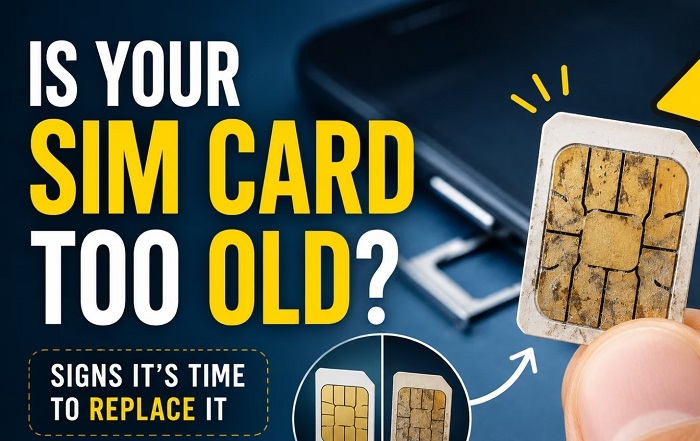
You should replace your SIM card if it is damaged beyond repair or it stops working due to being used for a long period of time. You can go to an official Smart Store and change your SIM card with a government-issued identification card while keeping your mobile number under verification.
What If Mobile Data Is Not Working?
If your mobile data is not working, try the following solutions in order:
- Turning off and on mobile data
- Checking your data balance
- Ensuring you have a data promo
- Checking your access point name
- Restarting your phone.
These solutions usually fix most mobile data problems that arise due to various errors, such as the lack of data connection.
Tips To Prevent SIM Problems
The following are some of the vital tips that will help keep your SIM card from experiencing any problems:
- Avoid breaking or damaging your SIM card.
- Avoid scratching your SIM card.
- Avoid dirty SIM card trays.
- Performing regular software updates on your phone.
- Storing your SIM card away from other objects wisely.
These tips will help your SIM card stay away from physical damage and last longer.
FAQs
Why does my phone say ‘no SIM’?
Your phone display indicates that there is no SIM card when, in fact, your SIM card is not working correctly. Your phone display can also show ‘no SIM’ when your SIM card is not properly inserted into your phone or when your phone is not recognizing your SIM card.
Can a damaged Smart SIM be repaired?
Smart SIM cards can not be repaired. You can contact Smart Customer Service to replace your damaged SIM card.
Will I retain my mobile number when replacing my SIM?
Yes, you can retain your mobile number if you contact an official Smart Store and change your SIM card after verifying your identity.
When should I contact Smart?
You should contact Smart or an Official Smart Store if none of the above solutions works. They will help you solve the problem with your SIM card and, if necessary, change your SIM card.
Having a card that is not working can be frustrating. Luckily, you can solve this problem on your own. All you have to do is restart your phone or change the card. You can contact customer service if the problem persists. It will also be vital that you keep the card clean. Keep your phone up to date to avoid the same problem.