

You just finished registering your SIM, but instead of a confirmation, you see something strange “Null” under registration status.
No “Registered.”
No “Pending.”
Just Null.
It’s confusing, frustrating, and for many TNT, Smart, Globe, and DITO users in the Philippines, very common. But don’t worry “Null in SIM registration” doesn’t mean your SIM is dead. It usually means the registration didn’t go through properly, or your information wasn’t uploaded correctly.
This 2025 Complete Fix Guide explains what “Null” means, why it happens, and step-by-step solutions to make your SIM fully registered, verified, and working again.
What Does “Null in SIM Registration” Mean
When your SIM shows Null, it means that your telecom provider’s system can’t find any linked registration record for your SIM number.
| Term | Meaning |
| Null | No registration data detected or not synced yet |
| Pending | Registration submitted but awaiting system confirmation |
| Registered | SIM verified and fully active |
| Invalid | Registration failed due to wrong info or ID |
So “Null” is not an error code it’s a status. It simply means the system hasn’t recognized your SIM as officially registered yet.
Why “Null” Appears in SIM Registration
| Cause | Description |
| 1. Server delay | The telecom server hasn’t synced your registration data yet. |
| 2. Incomplete form | Missing ID, selfie, or mismatched details. |
| 3. Weak connection | Upload interrupted during registration. |
| 4. Expired link | You reopened an old registration page. |
| 5. Double entry | You attempted to register multiple times. |
| 6. SIM swap or replacement | New SIM needs re-registration. |
| 7. Technical error | Temporary bug in the provider’s database. |
How to Check If Your SIM Is Registered Correctly
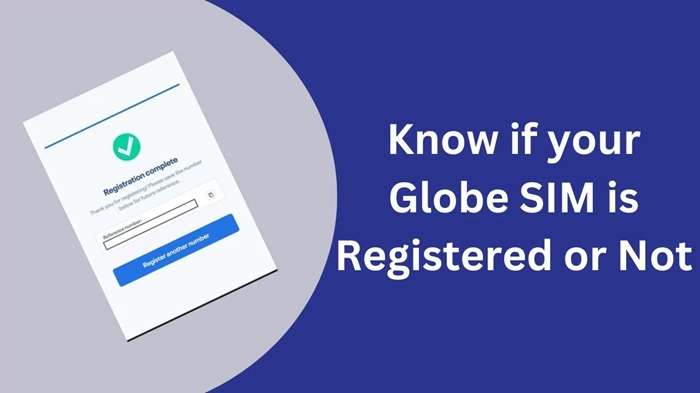
Visit Your Network’s SIM Registration Portal
| Network | Registration Link |
| TNT / Smart | https://smart.com.ph/simreg |
| Globe / TM | https://new.globe.com.ph/simreg |
| DITO | https://register.dito.ph |
Enter Your Mobile Number
Wait for the OTP (One-Time Password) and input it correctly.
View Status
If it says “Registered”, you’re good.
If it says “Null”, follow the next sections to fix it.
Step-by-Step Fixes for “Null in SIM Registration”
Confirm Internet and Server Status
If you registered during a busy period, the telecom system may have delayed syncing.
Try these:
- Connect to a stable Wi-Fi or mobile data.
- Wait 24–48 hours; servers often update overnight.
- Revisit the SIM registration site and recheck status.
If it still shows Null after two days, proceed to Step 2.
Re-Register Your SIM Properly
Many users rush through registration and cause incomplete submissions. Here’s how to do it correctly:
- Go to your network’s official registration link.
- Enter your mobile number and OTP.
- Fill out every field accurately Full Name, Birthday, Address, Nationality, ID type and ID number.
- Upload a clear photo of your ID and a selfie holding the same ID.
- Review everything before submitting.
Once submitted, you’ll get a confirmation message or email from your provider.
| Field | Must Match With |
| Full Name | Valid government ID |
| Birthday | ID record |
| ID Type | Driver’s license, Passport, etc. |
| Photo | Clear, no glare |
| Selfie | Face and ID visible |
Incomplete or blurry uploads often cause “Null” because the system rejects them.
Check SIM Registration via App
Some networks offer faster status updates through their mobile apps.
| Network | App | Menu Path |
| TNT / Smart | Smart App | Account → SIM Registration Status |
| Globe | GlobeOne App | Dashboard → SIM Details |
| DITO | DITO App | Profile → SIM Registration |
If your app still shows “Null,” proceed to re-register — it often refreshes automatically once new data is saved.
Reset Network and Reinsert SIM
Sometimes, your phone simply hasn’t updated its carrier info after registration.
Do this:
- Turn off your phone.
- Remove your SIM.
- Wait 1 minute, reinsert the SIM.
- Turn the phone back on.
- Wait for signal bars to appear.
If your SIM remains unrecognized or shows “Unregistered SIM” under mobile settings, try Step 5.
Contact Customer Support for Manual Verification
If everything else fails, call your network’s hotline. Or you can visit a service center. Ask for manual SIM registration verification. They can check directly in their system if your registration went through.
| Provider | Hotline | Support Channels |
| TNT / Smart | *888 | facebook.com/TNTph |
| Globe / TM | 211 | facebook.com/globeph |
| DITO | 185 | facebook.com/DITOphofficial |
Have these details ready:
- Your full name and mobile number
- Registration date
- ID used
- Screenshot (if any) of your “Null” message
They can manually refresh your registration record or ask you to resubmit your ID.
Special Case: “Null” After SIM Replacement or Transfer
If you recently replaced your SIM or switched devices:
- The old SIM’s registration data might not carry over.
- You must register the new SIM number again.
For TNT and Smart users, visit the nearest Smart Store for quick re-registration.
Bring:
- Your valid ID
- The new SIM card
- Your old SIM (if available)
They’ll verify ownership and reactivate your number under the new SIM.
How to Know If Your SIM Registration Worked
Once fixed, you’ll notice:
- Your signal returns normally.
- You can call, text, and browse again.
- You receive a confirmation SMS:
“Your SIM registration has been successfully processed.” - The status on the registration portal changes from Null to Registered.
Common Errors Related to “Null” and What They Mean
| Error | Meaning | Fix |
| “Null” | No registration record | Re-register or wait for sync |
| “Invalid ID” | Mismatch between selfie and ID | Retake photo and re-upload |
| “Registration failed” | System maintenance | Retry after an hour |
| “SIM not detected” | Hardware or inactive SIM | Try another phone |
| “Verification error” | Network lag or missing data | Retry on stable connection |
How to Avoid “Null” in the Future
| Best Practice | Why It Helps |
| Register only on official sites | Prevents data errors or fraud |
| Double-check info before submitting | Avoids mismatched details |
| Upload clear ID and selfie | Prevents rejection |
| Use stable connection | Prevents upload interruption |
| Don’t register multiple times | Reduces duplicate entries |
One clean, accurate submission always registers faster than repeated attempts.
When to Visit a Physical Store
If your SIM remains “Null” after all online steps:
- Visit your nearest Smart/TNT, Globe or DITO service center.
- Bring a valid ID and your SIM card.
- Ask for assisted registration or manual verification.
They’ll scan your ID, take your photo, and update your SIM status immediately.
Troubleshooting “Null” When You Can’t Access the Portal
If the site refuses to open or shows error pages:
- Clear your browser cache or use another browser.
- Try again at non-peak hours.
- Switch data off/on or use Wi-Fi instead.
If the site still won’t load, use the mobile app. Or call customer care for registration assistance.
Understanding SIM Registration Law
The Republic Act 11934 (SIM Registration Act) requires all SIM cards in the Philippines to be registered with valid ID and personal information.
| Requirement | Details |
| Valid IDs | Driver’s License, Passport, National ID, UMID, etc. |
| For Minors | Parent/Guardian ID and consent |
| For Businesses | Company documents |
| Replacements | Require re-registration |
How “Null” Affects SIM Functionality
| Feature | Affected When “Null”? | Explanation |
| Calls | ❌ Blocked | SIM considered unregistered |
| Texts | ❌ Blocked | No outgoing/incoming SMS |
| Data | ❌ Blocked | Mobile internet disabled |
| *123# menu | ⚠ May not load | Registration gateway incomplete |
| Promo registration | ❌ Rejected | SIM not verified |
Quick Re-Registration Checklist
✅ Stable internet connection
✅ Active SIM inserted in phone
✅ Valid government-issued ID
✅ Clear photo and selfie
✅ Correct name and birthday
✅ Confirmation message from provider
Once you complete this list, your SIM should update within 24 hours.
Frequently Asked Questions (FAQs)
Q1. What does “Null” mean in SIM registration status?
It means your SIM number has no linked registration data yet — the system couldn’t retrieve your details.
Q2. How long before “Null” becomes “Registered”?
Usually within 24–48 hours after a successful re-registration or manual verification.
Q3. Can I still use my phone while the status is “Null”?
Sometimes yes, but expect limited services. Outgoing calls and texts may be blocked.
Q4. Will I lose my number if it stays “Null”?
If left unresolved for weeks, yes — unregistered SIMs are automatically deactivated under the SIM Registration Act.
Q5. Can customer care fix “Null” instantly?
Yes. They can manually sync your registration if you already submitted valid documents.
Seeing “Null in SIM registration” can feel alarming, but it’s rarely permanent. It usually means your registration didn’t sync, or the system is still updating.
In most cases, simply re-registering correctly, uploading clearer ID photos, and waiting a few hours solves the issue. For older or replaced SIMs, manual re-registration in a physical store guarantees the fastest fix.
Remember “Null” doesn’t mean failure. It’s just a pause in your registration process, waiting for completion. So don’t throw away that SIM just yet. With a few smart steps and accurate details, you can turn that Null into Registered — and stay connected to what matters most.