
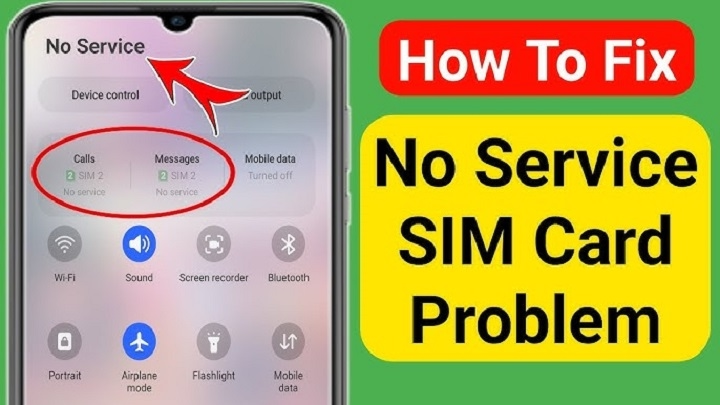
Your phone worked great. Then boom. No bars. Can’t call anyone. Texts won’t be sent. Data’s gone too. Just that dumb message: “No Service” And wow, it’s super annoying.
Most folks think right away:
- the SIM card died
- the phone broke
- the company cut you off
- time for a new phone
But wait.
Most “No Service” stuff isn’t that bad. You can fix lots of them fast. Like, really fast.
And that matters because your phone number runs your life now:
- bank apps
- those code texts
- social media
- money apps
- email backup
- work stuff
- shopping apps
When your SIM stops working, lots of your life stops too. Good news though. You can check some easy things before you spend money on fixes. Let’s walk through them together.
What Does “No Service” Mean?
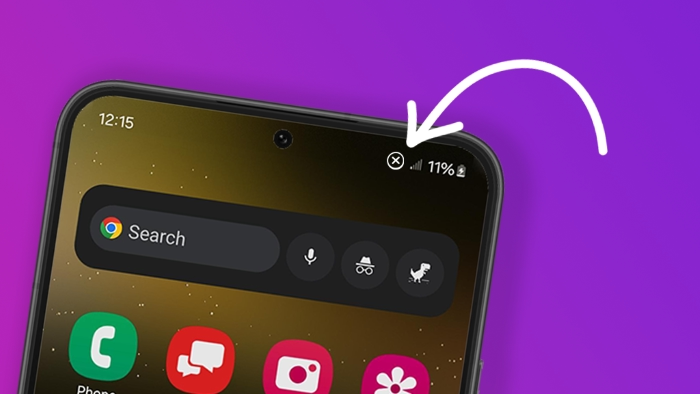
“No Service” means your phone can’t find your phone company’s towers. Your SIM card’s still in there. Your phone sees it fine. But it can’t talk to the towers nearby.
Without that link, you lose:
- phone calls
- text messages
- mobile internet
- code texts
- phone company stuff
Common Signs of a No Service Problem
Most people see:
- no signal bars
- “No Service” text
- “Emergency Calls Only”
- calls that fail
- texts stuck sending
- data not working
- codes coming late
Sometimes it just happens. Bam.
Other times the bars slowly fade away.
Why SIM Cards Show No Service
There’s not just one reason.
Lots of things can cause this.
Weak Signal Coverage
This one happens most.
Some places just block signals.
Like:
- elevators
- parking garages underground
- tunnels
- way out in the country
- thick walls
Try going outside. Or near a window.
Carrier Network Outage
Sometimes it’s not your phone at all.
It’s them.
Networks sometimes have:
- fixing time
- tower breaks
- software updates
- short outages
When this happens, everyone nearby loses service too.
Airplane Mode Accidentally Enabled
Sounds dumb, right?
But it happens all the time.
Maybe you hit it by mistake.
Or the phone got confused.
Check this first. Always.
SIM Card Moved Slightly
A tiny shift can mess things up.
Maybe:
- you dropped the phone
- the tray moved
- the card’s not sitting right
Even a small gap stops it working.
Dirty SIM Card Contacts
That gold chip gets gross:
- dust
- dirt
- pocket fuzz
- finger oils
After a while, it can’t connect well.
SIM Card Damage
Physical breaks are common too.
Look for:
- scratches
- cracks
- bent edges
- water spots
Old SIM cards break easier.
Inactive Prepaid SIM
Prepaid users see this lot.
Some companies turn off SIMs that sit too long.
Like if you stop:
- adding money
- making calls
- sending texts
for months.
SIM Registration Issues
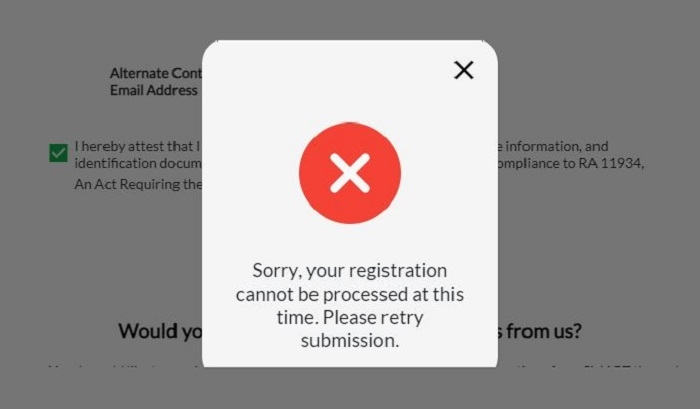
Many places make you register SIMs now.
If that goes wrong, they might stop your service.
Common reasons:
- didn’t finish signing up
- wrong info
- checking problems
Carrier Lock Problems
Some phones only work with one company.
Put in a different SIM? You might see:
- No Service
- Invalid SIM
- Network Unavailable
Software Bugs
Phone software can mess up networks too.
Often after:
- big updates
- failed installs
- testing new stuff
eSIM Activation Problems
eSIM users get no-service problems too.
Why? Usually:
- didn’t finish setup
- QR code broke
- profile messed up
- didn’t turn on right
First Things to Try
Before you call for help, try these easy fixes.
Restart Your Phone
Sounds too simple, right?
But it works a lot.
A restart cleans up:
- network stuff
- tower links
- software hiccups
Turn it all the way off.
Count to ten.
Turn it back on.
Toggle Airplane Mode
Turn Airplane Mode on.
Wait like 30 seconds.
Then turn it off.
This makes your phone find towers again.
Remove and Reinsert the SIM
Take out the SIM tray carefully.
Check the card for:
- dirt
- breaks
- scratches
Then put it back right.
Clean the SIM Card
Use:
- a soft cloth
- gentle touch
Don’t use:
- water
- spray cleaners
- chemicals
Check Another Location
Signals change lots by place.
Try going:
- outside
- to another building
- down the street
Test the SIM in Another Phone
This helps tons.
If the SIM works there:
- your phone’s probably broken
If it fails there too:
- the SIM or company has issues
Test Another SIM in Your Phone
This shows if:
- the phone broke
- the first SIM broke
Reset Network Settings
Most phones let you reset network stuff.
This can fix:
- mobile network settings
- company setups
- connection problems
without losing photos or apps.
Update Your Phone Software
Companies often send fixes for:
- connection bugs
- network problems
- 5G stuff
Keep your software fresh.
Check Carrier Outages
Before you panic, check:
- company websites
- outage trackers
- social media
Maybe everyone’s having problems.
Contact Your Carrier
Nothing working? Call them.
They can check:
- SIM status
- account problems
- sign-up status
- turn-on issues
- network breaks
SIM Replacement Might Be Necessary
Sometimes SIM cards just wear out.
Old ones especially.
A new SIM often fixes:
- chip damage
- old SIM fails
- matching problems
Can You Keep Your Number?
Usually yeah.
Most companies move your number to the new SIM.
How Long SIM Replacement Takes
New ones come pretty fast.
Usually:
- few minutes in store
- couple hours online
- one day sometimes
Why 5G Sometimes Causes No Service Issues
Some old SIM cards hate new networks.
People moving to:
- LTE
- 5G
might need newer SIM cards.
Can Water Damage Cause No Service?
Oh yeah.
Water can break:
- SIM chips
- SIM readers
- phone guts
Even tiny drops cause trouble.
Why Travelers Often See No Service
Travel adds more problems.
Like:
- roaming blocks
- wrong bands
- tourist SIM delays
Common Mistakes People Make
People often make fixing harder.
Constantly Removing the SIM
Taking it out too much can break the tray.
Ignoring Carrier Messages
Setup texts have important stuff.
Buying Cheap Replacement SIMs
Weird SIMs can cause problems.
Waiting Too Long
Waiting makes fixing harder.
Common SIM-Related Scams
Bad guys target people with service problems.
Watch for messages asking for:
- code texts
- passwords
- bank info
- account stuff
Never give codes to strangers.
Tips to Avoid No Service Problems
Some habits help stop problems.
Keep Your SIM Dry
Water kills electronics.
Use Official Carrier SIMs
Skip unknown sellers.
Keep Software Updated
Updates fix network bugs often.
Handle SIM Trays Carefully
Don’t force them.
Maintain Active Prepaid Accounts
Use it sometimes to keep it on.
Quick Summary Table
| Problem | Possible Cause |
| No Service | Weak signal |
| Emergency Calls Only | Company issue |
| SIM Not Detected | SIM damage |
| Invalid SIM | Company lock |
| No Mobile Data | Network issue |
| eSIM Not Working | Setup failed |
| Inactive SIM | Long break |
FAQs
Why does my SIM card say No Service?
Usually signal problems, SIM issues, company outages, or setup fails.
Can restarting the phone fix No Service errors?
Yeah, lots of times.
How do I know if my SIM card is damaged?
Try it on another phone.
Can carriers deactivate inactive SIM cards?
Yeah, especially prepaid ones.
Will I lose my number if I replace my SIM?
Usually no.
Can eSIM users experience No Service errors?
For sure.
Can software updates cause No Service issues?
Sometimes yeah.
Should I contact my carrier if nothing works?
Absolutely.
Seeing “No Service” feels bad. Especially when so much needs your phone number. Lucky for you, most SIM problems can be fixed.
Whether it’s from:
- weak signal
- SIM damage
- network outages
- sign-up problems
- software bugs
- company issues
there’s usually a way to fix it.
The trick? Figure out if the problem’s from:
- the SIM card
- the phone
- or the network
Once you know which one, fixing gets way easier.