

So your phone suddenly shows:
- “SIM 1 not provisioned”
- “SIM not provisioned MM2”
- “SIM 1 unavailable”
…and now your phone basically stopped working.
Yeah, that message freaks people out all the time.
Especially because it sounds super technical.
Most folks instantly think:
- the SIM card is dead
- the phone broke
- the network blocked them
- the SIM got hacked somehow
But honestly?
Most of the time, it’s not nearly that serious.
In simple words, “SIM 1 not provisioned” usually means your phone company hasn’t properly activated or connected your SIM card yet.
That’s it.
Your phone can physically see the SIM card.
But the mobile network still doesn’t recognize it correctly.
And in 2026, this issue still happens constantly with:
- new SIM cards
- replacement SIMs
- eSIM setups
- carrier switching
- inactive prepaid numbers
The good news?
A lot of the fixes are actually pretty simple.
Let’s go through everything step by step.
What Does “SIM 1 Not Provisioned” Mean?
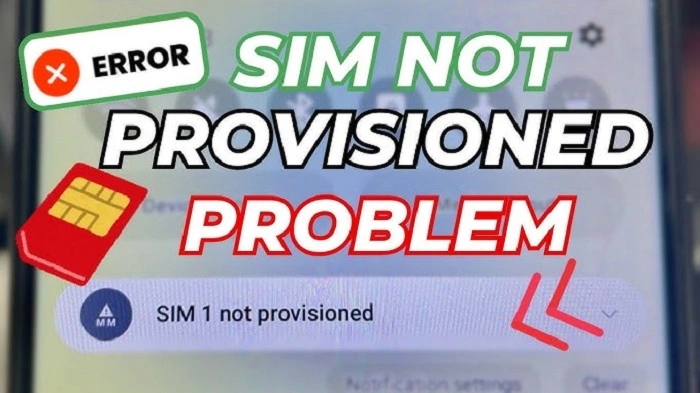
This error means your carrier hasn’t fully connected your SIM card to the mobile network system yet.
Your phone detects the SIM physically.
But the network still doesn’t know what to do with it.
So your phone loses access to:
- calls
- texts
- mobile data
- OTP codes
- network services
Usually the problem affects SIM slot 1 specifically.
Why It Says “SIM 1”
Many phones now support:
- dual SIM
- eSIM plus physical SIM
- two physical SIM cards
So the phone labels them:
- SIM 1
- SIM 2
The message simply points to the first SIM slot.
Common Signs of SIM 1 Not Provisioned
People usually notice:
- zero signal bars
- “Emergency Calls Only”
- failed texts
- no mobile internet
- calls not connecting
- activation warnings
Sometimes the error appears immediately after inserting the SIM.
Why SIM 1 Not Provisioned Happens
There are several common reasons.
Brand-New SIM Activation Delay
This is probably the biggest cause.
New SIM cards often need time for carriers to:
- activate the line
- register the account
- connect the SIM to towers
Some carriers finish this in minutes.
Others may take:
- several hours
- one business day
- longer during busy periods
SIM Registration Failed
Many countries require SIM registration now.
If registration fails because of:
- wrong ID information
- blurry photos
- incomplete signup
- failed selfie verification
…the SIM may stay unprovisioned.
Carrier Switching Problems
This happens often during number porting.
Like when switching from one carrier to another.
Usually the old carrier disconnects first.
Then the new carrier activates later.
During that gap, users may see:
- SIM 1 not provisioned
- no service
- temporary network loss
Inactive Prepaid SIM
Prepaid SIM cards sometimes expire after long inactivity.
Especially if users stop:
- reloading credit
- making calls
- sending texts
Eventually carriers may remove the SIM from their systems.
Also Read: Want to Remove Your SIM Registration?
eSIM Setup Problems
eSIM users also see provisioning errors frequently.
Common causes include:
- failed QR code setup
- interrupted activation
- deleted eSIM profiles
- syncing failures
Carrier Network Outages
Sometimes the problem isn’t your SIM at all.
The carrier may be experiencing:
- activation server problems
- network maintenance
- technical outages
SIM Card Damage
Physical damage can also trigger provisioning errors.
Especially when SIMs become:
- scratched
- bent
- water damaged
- worn out
SIM Inserted Incorrectly
A slightly loose SIM card can break communication between:
- the phone
- the carrier system
What Is “SIM Not Provisioned MM2”?
Android users see this version a lot.
“MM2” basically refers to mobile management systems.
But honestly?
It usually means the same thing:
The carrier failed to activate the SIM properly.
First Things You Should Try
Before panicking, try these simple fixes.
Restart Your Phone
Seriously.
This fixes tons of temporary network glitches.
Turn the phone fully off.
Wait about 10 seconds.
Turn it back on.
Toggle Airplane Mode
Turn airplane mode on for about 30 seconds.
Then turn it back off.
This forces the phone to reconnect to mobile networks.
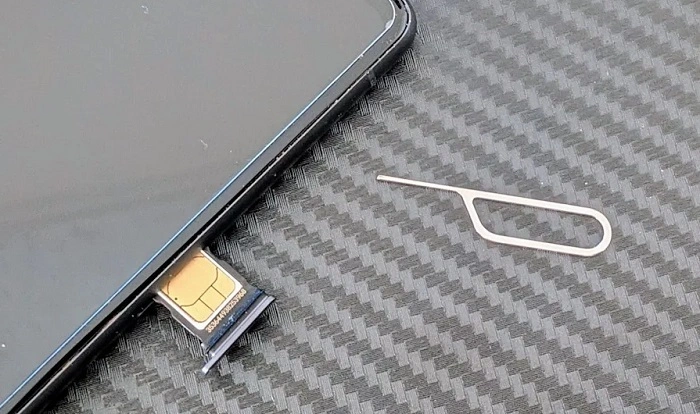
Remove and Reinsert the SIM
Take out the SIM tray carefully.
Check for:
- dirt
- scratches
- improper placement
Then insert it properly again.
Wait Longer for Activation
Brand-new SIM cards sometimes simply need more time.
Especially during:
- weekends
- holidays
- busy activation periods
Test the SIM in Another Phone
Very useful test.
If the SIM works elsewhere, your phone may be the issue.
If it fails everywhere, the SIM or carrier activation likely fails.
Contact Your Carrier
If basic fixes don’t help, contact your telecom provider.
They can check:
- activation status
- registration issues
- account setup
- SIM provisioning errors
SIM Replacement May Be Needed
Sometimes the SIM itself is defective.
In that case, carriers usually:
- issue a replacement SIM
- transfer your number
- reactivate the account
Can You Keep Your Number?
Usually yes.
Most carriers transfer the old number directly to the replacement SIM.
Why SIM Provisioning Matters More Today
Years ago, SIM activation mostly affected calls and texts.
Now phone numbers connect to:
- banking apps
- digital wallets
- password recovery
- work accounts
- online identity systems
That’s why fixing provisioning issues quickly matters so much.
SIM Problems During Travel
Travelers often experience provisioning issues because of:
- roaming activation delays
- unsupported networks
- tourist SIM setup problems
Can 5G Cause Provisioning Issues?
Sometimes yes.
Especially with:
- older SIM cards
- unsupported devices
- partial 5G rollout areas
Why eSIM Users See This More Often
eSIM setup depends heavily on:
- internet connectivity
- QR code syncing
- carrier servers
If anything fails during activation, provisioning errors may appear.
Common Mistakes People Make
Some things accidentally make the issue worse.
Removing the SIM Too Early
People often remove the SIM before activation finishes.
Ignoring Carrier Messages
Activation texts sometimes contain important steps.
Using Unofficial SIM Sellers
Fake or improperly registered SIMs create lots of problems.
Typing Registration Info Wrong
Even tiny spelling mistakes can block activation.
Common SIM Provisioning Scams
Be careful online.
Scammers sometimes send fake activation messages asking users to:
- click suspicious links
- verify account information
- share OTP codes
Never share verification codes with strangers.
Tips to Avoid SIM Provisioning Problems
Some simple habits help a lot.
Buy SIMs From Official Carriers
Much safer.
Complete Registration Carefully
Double-check:
- spellingwhy is my sim card not working
- ID details
- selfies
Keep Stable Internet During eSIM Setup
Weak internet causes many activation failures.
Save Activation Messages
Useful later if troubleshooting becomes necessary.
Keep Carrier Apps Updated
Modern carrier apps solve many issues faster now.
Can Factory Reset Fix SIM Provisioning Problems?
Usually not.
Because provisioning errors mostly come from:
- carrier systems
- activation failures
- SIM registration issues
Not phone storage problems.
Quick Summary Table
| Problem | Possible Cause |
| SIM 1 not provisioned | Activation incomplete |
| No signal | Network issue |
| SIM not provisioned MM2 | Carrier setup failed |
| eSIM provisioning error | QR or activation problem |
| New SIM not working | Activation delay |
| Prepaid SIM inactive | Expired account |
| Invalid SIM | SIM damage or carrier lock |
(FAQs) About SIM 1 Not Provisioned
What does SIM 1 not provisioned mean?
It means the carrier hasn’t activated your SIM correctly yet.
Is my SIM card broken?
Not always. Often it’s just an activation problem.
Can restarting the phone help?
Yes, sometimes.
Why does SIM not provision MM2 appear?
Usually because activation or registration failed.
How long does SIM activation take?
Sometimes minutes. Sometimes up to a day.
Can inactive prepaid SIMs become unprovisioned?
Absolutely.
Can eSIMs also show provisioning errors?
Very commonly, yes.
Should I contact my carrier if nothing works?
Definitely.
Honestly, “SIM 1 not provisioned” sounds much scarier than it really is. Most of the time, the problem simply means: your carrier hasn’t fully activated your SIM card yet.
And thankfully?
That’s usually fixable pretty quickly.
Whether the issue comes from:
- activation delays
- registration failures
- carrier switching
- old prepaid SIMs
- eSIM setup errors
- network outages
…there’s normally a solution available.
The biggest thing is not panicking too fast.
Most provisioning problems get solved once the carrier properly connects your SIM to the network again.