
So your phone just says: “SIM not provisioned.” And now you’re stuck. Yeah, this hits lots of people. One second your phone works fine. Next second? Can’t call. Can’t text. No data works. Just weird errors pop up from nowhere. Truth is, that message sounds way worse than it is.
Most folks think:
- the SIM card died for good
- the phone broke down
- the network cut them off
- the SIM got hacked
But really? The fix is much easier. Most times, “SIM not provisioned” just means your phone company hasn’t turned on your SIM card yet.
That’s all.
This pops up a lot in 2026 with:
- brand-new SIM cards
- backup SIMs
- when you switch numbers
- eSIM setup
- old prepaid SIMs
Good news though? You can fix it pretty fast most times. So let’s break it all down nice and simple.
What Does SIM Not Provisioned Mean?
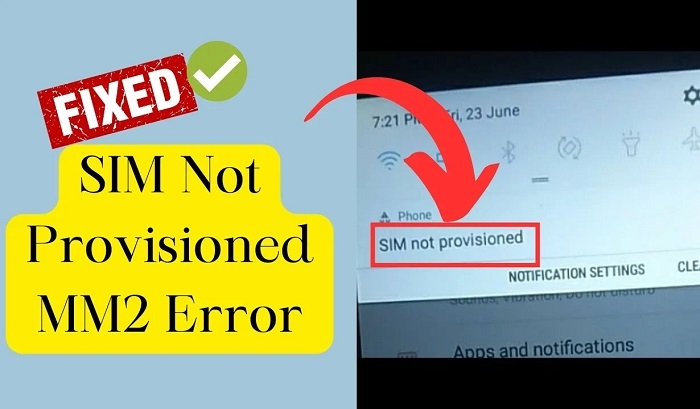
This message means your phone company hasn’t linked your SIM card to their system yet. Your phone can still see the SIM card. But the phone company doesn’t know it’s there. That’s why stuff stops working.
This means:
- no calls work
- no texts send
- no web access
- only 911 calls
- no signal bars
Your SIM card exists, but the network can’t see it yet.
Why This Error Happens
There’s a few main reasons.
Brand-New SIM Activation Delay
This one hits people the most. When you buy a new SIM card, turning it on takes time.
Even after you put the SIM in, your phone company still needs to:
- check your account
- turn on the number
- link the SIM up
Some companies do this fast. Others take ages.
SIM Registration Problems
Lots of places now need ID checks for SIM cards.
If sign-up fails from:
- fuzzy ID pics
- wrong info typed
- bad selfie pics
- half-done sign-up
the SIM might never turn on right.
Number Porting Issues
Moving from one company to another? Yeah, this error shows up a lot. The old network cuts you off first. Then the new one turns on later. Sometimes you wait in between.
Inactive or Expired SIM Card
SIM cards left alone too long might die. This hits prepaid SIMs hard. The company might just delete them from their system.
Carrier Network Problems
Sometimes the phone company has tech issues.
Even good SIM cards might show:
- SIM not provisioned
- no network found
- can’t activate
These fix themselves most times.
Physical SIM Damage
Sometimes the SIM card breaks.
Common breaks include:
- scratched chip part
- bent SIM card
- water got in
- dirty metal parts
Broken SIMs can’t talk to the network right.
Different Versions of the Error
People see different messages sometimes.
Like:
- SIM not provisioned
- SIM not provisioned MM2
- SIM setup failed
- SIM won’t activate
Most mean the same network problem.
What Does SIM Not Provisioned MM2 Mean?

This shows up on Android phones lots.
It means:
- the company failed setup
- the SIM isn’t linked right
- account setup isn’t done
The “MM2” part is just tech talk.
Common Signs Your SIM Is Not Activated
Besides the error itself, you might see:
- no signal bars show
- only 911 calls work
- texts won’t send
- calls won’t go through
- data won’t load
- codes won’t come through
These point to setup problems.
First Things You Should Try
Before calling support, try these easy fixes.
Restart Your Phone
Sounds too simple, right? But this fixes tons of stuff. Turn the phone all the way off. Then back on.
Remove and Reinsert the SIM
Take the SIM out slowly.
Then:
- check for scratches
- wipe it clean if dirty
- put it back right
Loose SIM cards cause lots of errors.
Turn Airplane Mode On and Off
This makes your phone find networks again. Wait like 30 seconds before turning it off.
Test the SIM in Another Phone
This shows if the problem is:
- your phone
- the SIM card
Really helps find the issue.
Wait a Little Longer
New SIM cards sometimes just need time. Some turn on in minutes.
Others might take:
- a few hours
- one whole day
- more when busy
Contact Your Carrier
If easy fixes don’t work, call the phone company.
Try these ways:
- phone hotlines
- their apps
- web chat
- social media help
- go to stores
Tell them what message shows up.
SIM Replacement May Be Needed
Sometimes the SIM card is bad.
Then the company might:
- give you a new SIM
- turn on the number again
- move your account over
You keep your old number still.
Can eSIMs Get This Error Too?

Oh yeah. Even digital eSIMs fail sometimes.
Common fails include:
- QR code breaks
- setup not done
- company sync fails
- ID check fails
Why Prepaid Users Often See This
Prepaid folks see this lots because:
- money ran out
- didn’t use it long
- sign-up not done
- didn’t activate right
Using prepaid SIMs often helps stop this.
Why Tourists Sometimes Get This Error
Tourist SIM cards need passport checks. If the company can’t check papers right, setup might stop.
Can a Suspended SIM Cause This?
Sometimes yeah.
SIMs cut off for:
- unpaid bills
- fraud checks
- breaking rules
- reported stolen
…might show this error too.
Common Mistakes Users Make
Here’s what goes wrong lots.
Incomplete SIM Registration
Some folks stop halfway through online sign-up.
Wrong SIM Size
Cut SIM cards wrong might not work.
Ignoring Carrier Messages
Setup texts have key steps in them.
Buying SIMs From Unofficial Sellers
Fake or bad SIM cards cause big problems.
How to Avoid SIM Provisioning Problems
Some easy habits help tons.
Buy SIMs From Official Stores
Way safer that way.
Complete Registration Carefully
Check twice:
- your spelling
- ID details
- selfie quality
Keep the SIM Active
Unused SIMs might die off.
Save Activation Messages
Helps later if stuff breaks.
SIM Provisioning and Mobile Banking
This got super key lately.
Phone numbers now link to:
- bank apps
- code texts
- money apps
- login stuff
That’s why fixing SIM problems fast matters a lot.
Is SIM Not Provisioned Dangerous?
Not really. Most times it’s just setup issues. But if your SIM dies suddenly, and you use bank apps, call your company fast.
Quick Summary Table
| Problem | Possible Cause |
| SIM not provisioned | Setup not done |
| No signal | Network issue |
| MM2 error | SIM setup broke |
| New SIM not working | Setup delay |
| No OTP codes | SIM not active |
| eSIM provisioning issue | Digital setup broke |
| Expired prepaid SIM | Not used long time |
FAQs
What does SIM not provisioned mean?
It means your phone company hasn’t turned on your SIM yet.
Is my SIM card broken?
Not always. It’s usually just a setup thing.
Can restarting the phone fix it?
Sometimes yeah.
What causes SIM not provisioned MM2?
Setup or network problems usually.
How long does SIM activation take?
Sometimes minutes, sometimes a whole day.
Can inactive SIM cards become unprovisioned?
Yes, prepaid ones after not using them.
Can eSIMs also have provisioning errors?
For sure.
Should I contact my carrier?
Yes, if easy fixes don’t help.
Look, “SIM not provisioned” sounds way worse than it is. Most times, it just means your phone company hasn’t linked your SIM card yet. And lots of times, it’s easy to fix.
Whether it’s from:
- setup delays
- sign-up problems
- network issues
- old SIM cards
- switching numbers
there’s usually a fix out there. The key thing is checking early, not waiting too long. Because once the SIM turns on right again, all your stuff linked to that number works fine too.