
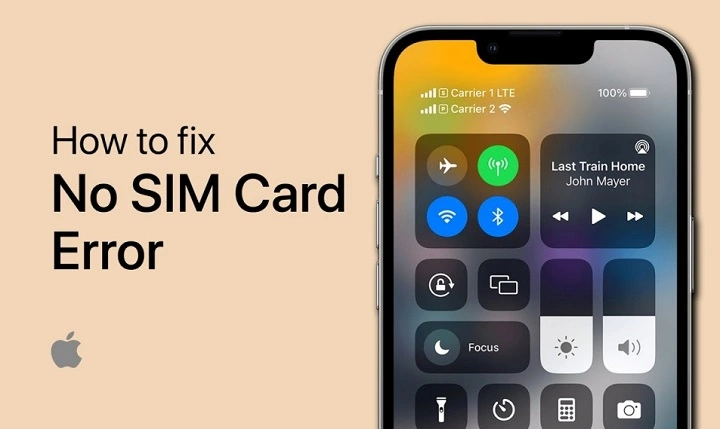
And now your SIM card won’t connect anymore. Yeah, super frustrating. A lot of people instantly panic when this happens. Some think the SIM card died forever. Others blame the phone. Some even think the carrier blocked them for some reason. But honestly? This problem is incredibly common in 2026. And most of the time, it’s fixable.
Your SIM card may stop showing network because of:
- weak signal areas
- damaged SIM cards
- carrier outages
- inactive SIMs
- software bugs
- unpaid bills
- SIM registration issues
The good thing?
You can usually narrow down the problem pretty quickly.
So let’s break the whole thing down step by step in a simple way.
What Does “SIM Not Showing Network” Mean?
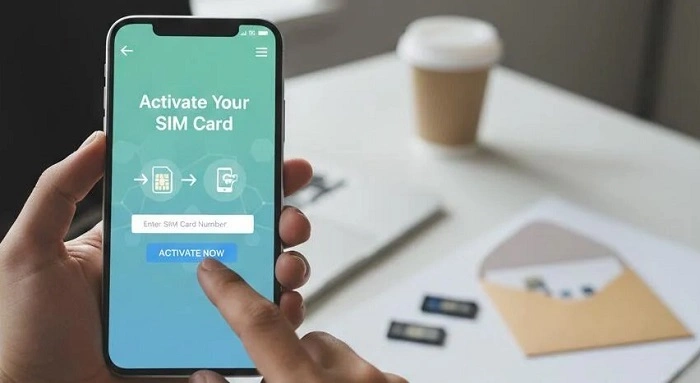
Basically, your phone cannot connect properly to your telecom provider.
Your device may still detect the SIM physically.
But it cannot communicate with nearby mobile towers correctly.
That’s why things stop working.
Usually you lose:
- calls
- texts
- mobile data
- signal bars
- OTP verification
Sometimes emergency calls still work though.
Weak Signal Area
Honestly, this is one of the biggest reasons.
If you’re inside places like:
- elevators
- underground parking
- remote villages
- mountains
- thick concrete buildings
…the signal may disappear completely.
Even modern 5G networks still struggle in some locations.
Temporary Network Outage
Sometimes the telecom provider itself has technical problems.
This can happen because of:
- tower maintenance
- storms
- overloaded systems
- software failures
- damaged equipment
When this happens, many users lose their signal together.
SIM Card Inserted Incorrectly
Loose SIM placement causes more issues than people realize.
If the SIM tray shifts slightly, your phone may stop reading the network correctly.
Damaged SIM Card
SIM cards wear out over time.
Especially older ones.
Common damage includes:
- scratched chips
- bent cards
- water exposure
- dirt buildup
- heat damage
Even small scratches can create connection problems.
Also Read: How to Tell If Your SIM Card Is 5G Ready
SIM Not Activated Properly
Brand-new SIM cards often need activation time.
Especially:
- prepaid SIMs
- replacement SIMs
- tourist SIMs
- eSIM setups
The carrier system may still be processing the account.
SIM Registration Problems
In many countries now, SIM registration is mandatory.
If verification fails because of:
- blurry ID photos
- wrong details
- failed selfie checks
- incomplete registration
…the network may disable service entirely.
Airplane Mode Accidentally Enabled
This sounds simple.
But honestly?
People accidentally turn on airplane mode all the time.
And airplane mode disables:
- calls
- texts
- mobile data
- network access
Phone Software Bugs
Sometimes the issue comes from the phone itself.
Software problems after updates may break network communication temporarily.
Especially after:
- major Android updates
- iPhone software updates
- beta software installs
Wrong Network Settings
Phones sometimes fail automatic network selection.
That can prevent the SIM from connecting properly.
Unpaid Bills
For postpaid users, unpaid bills sometimes trigger service suspension.
That may block:
- calls
- data
- texting
- full network access
Expired Prepaid SIM
Prepaid SIMs often deactivate after long inactivity.
Especially if users:
- never reload balance
- stop making calls
- leave the SIM unused for months
Eventually the carrier may remove the SIM completely.
First Things You Should Try
Before assuming the worst, try easy fixes first.
Restart Your Phone
Simple.
But surprisingly effective.
Turn the phone fully off.
Wait a few seconds.
Turn it back on again.
Toggle Airplane Mode
Turn airplane mode on.
Wait around 30 seconds.
Then disable it.
This forces the phone to reconnect to nearby towers.
Remove and Reinsert the SIM
Take the SIM out carefully.
Then:
- inspect for scratches
- clean gently
- place it back correctly
Loose placement causes lots of issues.
Test the SIM in Another Phone
This is one of the best troubleshooting tricks.
It helps identify whether the issue comes from:
- your phone
- your SIM card
A very useful step.
Check If Other People Have Signal
Ask nearby people using the same carrier.
If everyone lost signal too, it’s probably a network outage.
Reset Mobile Network Settings
Phones sometimes save broken network configurations accidentally.
Resetting network settings may restore normal signals.
Update Your Phone Software
Old software may create compatibility issues with modern networks.
Installing updates sometimes fixes signal problems immediately.
What If the Phone Says “Emergency Calls Only”?
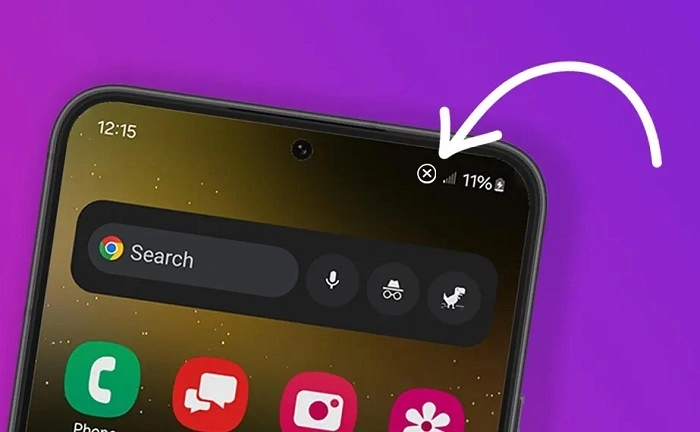
That usually means:
- weak carrier signal
- partial SIM connection
- activation issues
- suspended service
- provisioning problems
The phone partially recognizes the SIM but cannot connect fully.
Why New SIM Cards Often Have No Network
New SIM activation sometimes takes time.
The telecom provider may still be:
- verifying your account
- activating the number
- processing registration
- connecting services
Some activations happen within minutes.
Others may take:
- several hours
- one business day
- longer during busy periods
Why eSIM Users Also Lose Signal
Even eSIM systems can fail.
Common reasons include:
- QR setup failure
- incomplete activation
- carrier sync issues
- account verification problems
Why Tourists Commonly Face This
Tourist SIM cards sometimes fail because of:
- passport verification delays
- locked phones
- unsupported devices
- activation errors
Can Old SIM Cards Stop Working Completely?
Yep.
SIM cards can physically wear out over time.
Especially after years of heavy use.
Eventually the chip may fail entirely.
SIM Replacement May Be Needed
If the SIM itself is damaged, the carrier may:
- deactivate the old SIM
- issue a replacement
- transfer your number
Usually you keep your original number.
Common Mistakes Users Make
Here are common problems people create accidentally.
Ignoring Activation Messages
Carrier setup texts often contain important instructions.
Buying SIMs From Unofficial Sellers
Fake or improperly activated SIMs create huge headaches.
Forgetting SIM Registration
Unregistered SIMs may eventually lose service permanently.
Using Improperly Cut SIM Cards
Badly trimmed SIMs often fail inside devices.
How to Avoid Network Problems Later
Some small habits help a lot.
Keep Your SIM Active
Use it regularly.
Especially prepaid accounts.
Protect the SIM From Water and Heat
Physical damage still matters.
Save Important Carrier Messages
Helpful during troubleshooting later.
Use Official Telecom Providers
Always safer.
Complete SIM Registration Properly
Double-check:
- ID details
- selfies
- spelling
- registration forms
Why Phone Numbers Matter More Today
Years ago, losing signals was mostly annoying.
Now?
Phone numbers connect to:
- bank accounts
- digital wallets
- OTP verification
- work systems
- social media recovery
- online security
That’s why fixing SIM problems quickly matters so much now.
| Problem | Possible Cause |
| No network signal | Weak coverage |
| Emergency calls only | Partial network connection |
| New SIM no signal | Activation delay |
| Random signal loss | Carrier outage |
| SIM detected but unusable | Provisioning issue |
| Old SIM stopped working | Hardware wear |
| eSIM no network | Setup failure |
FAQs About Why My SIM Card Is Not Showing Network
Why is my SIM card not showing the network?
Usually because of signal problems, SIM damage, activation delays, or carrier issues.
Is my SIM card broken?
Not always. Many cases are temporary network issues.
Can restarting my phone help?
Yes, surprisingly often.
Why does my new SIM have no signal?
Activation may still be processing.
Can old SIM cards stop working?
Absolutely.
Can eSIMs lose network too?
Yes.
Does unpaid balance affect network access?
For postpaid accounts, yes sometimes.
Should I contact my carrier?
Yes if troubleshooting doesn’t solve the problem.
Honestly, SIM network problems feel scary mostly because we depend on our numbers for everything now.
But thankfully, many “No Network” problems are actually easier to fix than they first seem.
Whether the issue comes from:
- weak signal
- activation delays
- SIM damage
- carrier outages
- registration problems
…there’s usually a solution available.
The important thing is checking the issue early instead of ignoring it too long.
Because once the SIM reconnects properly, everything tied to your phone number usually starts working normally again.