
So your phone just showed you this weird message: “SIM 2 Not Provisioned” And now you’re stuck. What does that even mean? Hey, don’t stress about it. You’re not the only one confused. This error gets tons of people every year. And yeah, it happens more now. Dual-SIM phones are everywhere these days. One SIM works great. The other one? Dead. Can’t make calls. Can’t send texts. No internet either. Just that weird message looking back at you. But here’s the thing. Most times? This isn’t that bad. Actually, it’s way easier to fix than you’d think.
People always jump to the worst ideas:
- My phone is broken
- The SIM card died
- My carrier blocked me
- I need a new phone
But you know what? None of that’s usually true. Most times, the network just hasn’t turned on your second SIM card yet. Let me break this down. In simple words. Promise.
What Does SIM 2 Not Provisioned Mean?
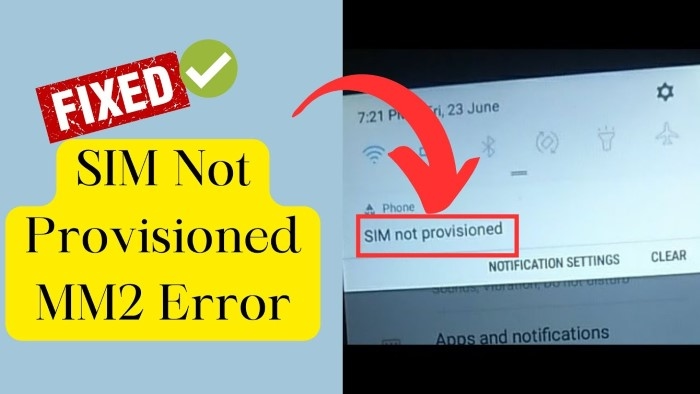
This message means your phone sees the SIM card. But your phone company can’t turn it on yet. Think of it like this.
Your phone goes:
“Yep, I found a SIM card in slot 2.”
The phone company goes:
“Wait, I haven’t hooked this one up to my network yet.”
Because they can’t talk to each other, the SIM can’t do:
- Phone calls
- Text messages
- Internet stuff
- Company services
- Network login things
The card is there.
The network just won’t let it work yet.
Why Does This Error Usually Affect SIM 2?
Most phones with two SIM slots have:
- SIM 1
- SIM 2
SIM 1 is what most people use every day.
SIM 2 is often for:
- Work phone numbers
- Travel cards
- Backup phone companies
- Internet-only plans
Since people switch SIM 2 more often, problems pop up more there.
Common Signs of a SIM 2 Provisioning Problem
Besides that error, you might see:
- No signal bars at all
- No mobile internet
- Calls fail right away
- Texts won’t send
- Only emergency calls work
- No carrier name shows up
- Phone won’t connect to network
And SIM 1? Works just fine.
Most Common Causes of SIM 2 Not Provisioned
Lots of things can cause this error.
New SIM Card Activation Delay
This one happens the most. You just got a new SIM.
You put it in.
But the phone company needs time to:
- Turn it on
- Add it to their system
- Link it to your account
Some turn on in minutes.
Others? It takes hours. Sometimes more.
Incomplete Registration
Lots of places make you register SIMs now.
If something goes wrong like:
- Wrong ID info
- Blurry photos
- Can’t verify who you are
- Missing stuff they need
The SIM stays off.
Number Transfer Problems
Moving your number to a new company? This error shows up a lot then. The old company cuts you off first. Then the new one turns you on. Sometimes there’s a gap. That’s when you see this.
Inactive SIM Card
SIM cards that sit around unused? They turn off.
This happens with:
- Prepaid cards
- Travel SIMs
- Backup cards
Once they’re off, the company removes them.
Carrier System Problems
Sometimes it’s not your fault at all.
Phone companies sometimes have:
- Service outages
- Software updates going on
- System failures
- Server problems
These usually fix themselves though.
SIM Card Damage
A broken card can cause this too.
Look for:
- Scratches on it
- Bent edges
- Water damage
- Messed up gold parts
A broken card can’t connect right.
Why Dual-SIM Phones Experience This More Often
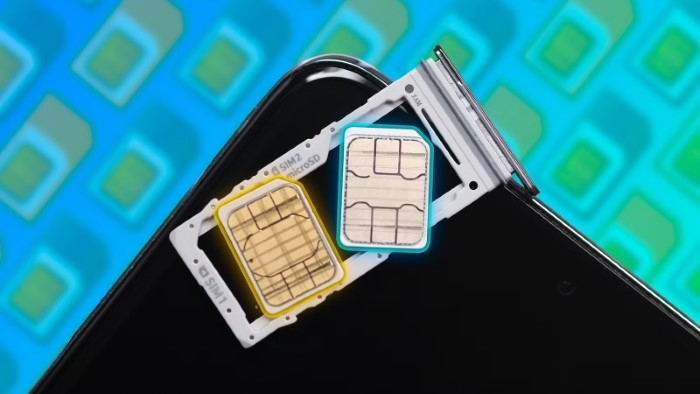
Two SIM phones are more complex.
The phone has to handle:
- Two companies
- Two network setups
- Two sets of settings
- Two login systems
Sometimes SIM 2 just doesn’t set up right.
This happens after:
- Phone updates
- Carrier updates
- Phone resets
- Switching SIMs around
First Things You Should Try
Before you call for help, try these easy fixes.
Restart the Phone
Too simple?
Maybe.
Does it work?
A lot of the time, yeah.
Restarting refreshes:
- Network stuff
- SIM talking
- Company logins
Toggle Airplane Mode
Turn on Airplane Mode.
Count to 30.
Turn it off.
This makes your phone find towers again.
Remove and Reinsert SIM 2
Pull out the SIM tray.
Look for:
- Dirt
- Scratches
- Wrong placement
Put the card back in. Be careful.
Switch SIM Slots
If your phone lets you, swap the SIMs around.
This tells you if the problem is:
- The SIM card itself
- The slot it’s in
Test the SIM in Another Phone
This is super helpful. If the SIM works in another phone: Your phone might be the problem.
If it fails everywhere:
The SIM or company is probably at fault.
Check SIM Registration Status
Registration problems cause lots of these errors.
Make sure:
- The SIM is registered
- Your ID got approved
- Everything finished properly
Most companies have websites to check this.
Contact Your Carrier
If easy fixes don’t work, call them.
Ask them to check:
- Is it turned on?
- Is it set up?
- Is my account okay?
- Are my records good?
They can often fix it from their end.
SIM Replacement May Be Required
Sometimes the SIM itself is bad.
The company might:
- Give you a new SIM
- Move your number over
- Turn on a new card
You usually keep the same number though.
Can eSIM Users Get This Error?
Yep, for sure.
eSIMs get this error too.
Common reasons:
- QR code didn’t work
- Download failed
- Can’t verify account
- Profile won’t sync
It’s digital, but the same basic problem.
Why Travelers Often See SIM 2 Not Provisioned
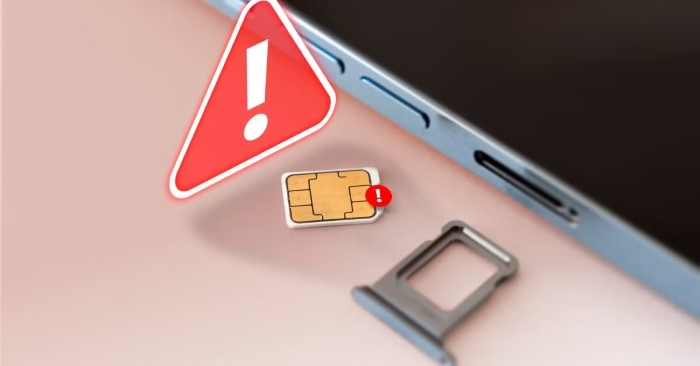
Lots of travelers use SIM 2 for trips.
Problems happen when:
- Registration isn’t done
- Roaming won’t work
- Tourist SIM takes time
- Company needs to check things
This happens a lot with new travel SIMs.
Can Software Updates Cause It?
Yeah, sometimes.
Big phone updates can mess with:
- SIM reading
- Company profiles
- Network settings
If this happened right after an update, reset your network settings.
Does Factory Reset Fix SIM 2 Not Provisioned?
Usually? Nope. The phone company controls this stuff. Resetting your phone won’t turn on a SIM that’s not registered. Only helps if your phone software is the problem.
Common Mistakes Users Make
Assuming the SIM Is Dead
Most of these problems are account stuff. Not broken hardware.
Constantly Removing the SIM
Taking it out over and over can break:
- The tray
- The contacts
- The SIM card
Ignoring Carrier Messages
Turn-on instructions come through:
- Text messages
- Company apps
Missing these slows everything down.
Buying SIMs from Unofficial Sources
Random sellers sometimes give you:
- Dead SIMs
- Old SIMs
- Cards that aren’t set up right
How to Prevent Provisioning Problems
A few good habits help.
Buy SIMs from Official Sources
Always use real company stores.
Complete Registration Carefully
Double-check:
- Your ID info
- Your photos
- All the steps
Keep SIMs Active
Use backup SIMs now and then.
Cards that sit too long get removed.
Save Activation Records
Keep:
- Receipts
- Turn-on emails
- Confirmation texts
These help if problems come up later.
Why SIM Provisioning Matters More Today
Years back, losing phone service was just annoying.
Now? It’s a huge deal.
Phone numbers connect to:
- Bank apps
- Security codes
- Social media
- Digital wallets
- Work systems
- Account recovery
That’s why you need to fix these problems fast.
Quick Summary Table
| Problem | Possible Cause |
| SIM 2 Not Provisioned | Not turned on yet |
| No signal | Network problem |
| New SIM not working | Turn-on delay |
| Number transfer problem | Moving delay |
| eSIM activation failure | Profile issue |
| Inactive prepaid SIM | Sat too long |
| Registration error | Can’t verify you |
FAQs
What does SIM 2 Not Provisioned mean?
It means the phone company hasn’t fully turned on your SIM card yet.
Is my SIM card broken?
Probably not. Most times it’s just a turn-on problem, not broken hardware.
Can restarting the phone help?
Yeah! It often fixes quick network glitches.
Can inactive SIM cards become unprovisioned?
Yep. Prepaid SIMs that sit unused too long especially.
Will I lose my number?
Usually no. Most companies can fix it and keep your number.
Can eSIMs experience provisioning errors?
For sure they can.
How long does activation take?
Sometimes minutes. Sometimes hours. Depends.
Should I contact my carrier?
Yeah, if the easy fixes don’t work.
Seeing “SIM 2 Not Provisioned” is super annoying. I get it. You need that number for work, travel, banking, or just daily stuff. But here’s the good news. Most times? Not that serious.
Whether it’s from:
- Turn-on delays
- Registration problems
- Number moving issues
- Dead SIMs
- Company outages
- Setup mistakes
There’s usually an easy fix waiting. Try the simple stuff first. Then call your company if you need to. Most times, you’ll be back online way faster than you think.