
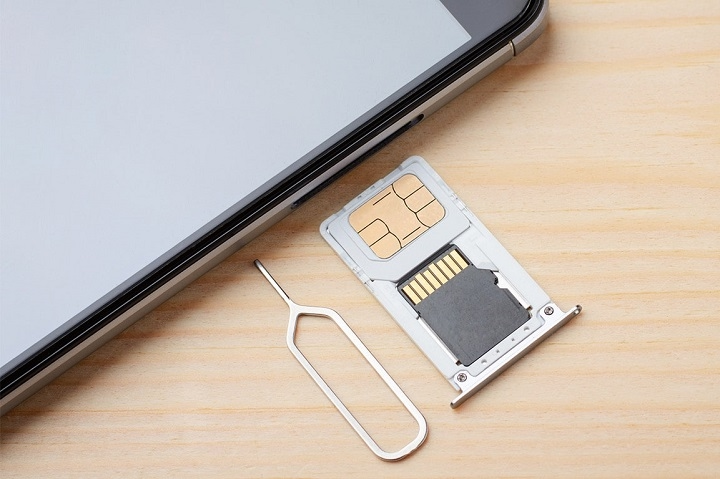
So you got a new SIM card. Nice! You might need to take out a broken SIM. Then it hits you: “Wait, how do I open this thing?” Seems easy. But tons of people get stuck here. Like, really stuck. New phones don’t have backs that come off anymore. They use these tiny trays. Hidden on the side. And honestly? Those trays are hard to find. Super hard.
Some folks even think:
- mic holes
- speaker holes
- reset holes
are the SIM slot. Yeah, not great. Good news though? Opening a SIM slot is quick. And easy too. Just gotta do it right. Let’s go through it all. Step by step.
What Is a SIM Card Slot?
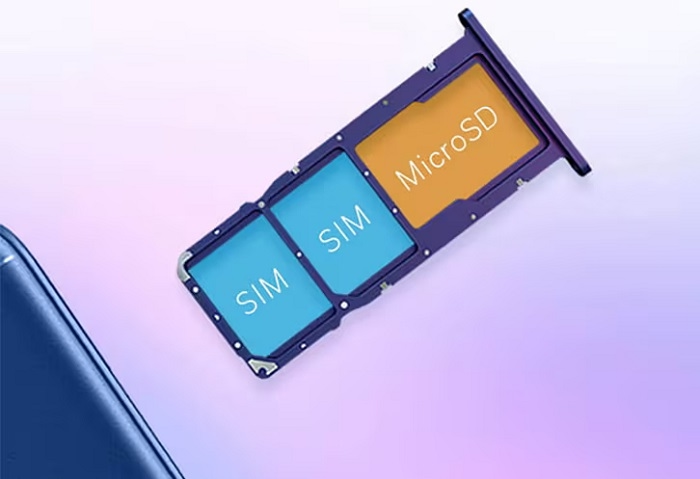
It’s where your phone keeps its SIM card. Simple as that.
The SIM lets your phone:
- make calls
- send texts
- use data
- get on your carrier
Most phones use a tray now. This tray slides out. From the side. The SIM card sits in there. Put it in right? Your phone connects. Just like that.
Where Is the SIM Card Slot Located?
Depends on your phone.
Common spots:
- left side
- right side
- top edge
- bottom edge
Most new phones? They put it on the side.
Look for:
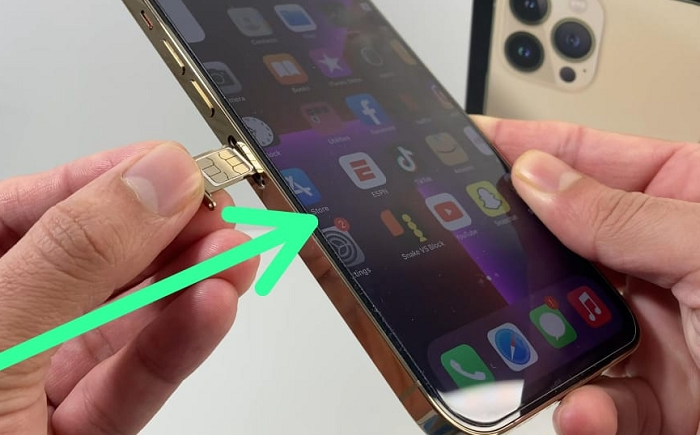
- a thin line (that’s the tray)
- a tiny round hole next to it
That small hole matters. A lot. That’s where your tool goes in.
What Tool Opens a SIM Card Slot?
Most phones come with a tool. A special one.
It looks like:
- a tiny metal stick
- a small clip shape
- a thin needle thing
Check your phone box. Usually it’s in there. Still got the box? Look inside first.
Can You Open a SIM Slot Without the Official Tool?
Yeah, usually you can.
Lots of people use other stuff.
Like what?
- small paper clips
- earring backs
- thin needles
- other pointy things
But be careful. Really careful.
Wrong tools can mess up:
- the tray
- your phone’s edge
- stuff inside
Use something thin. And straight.
How to Open a SIM Card Slot
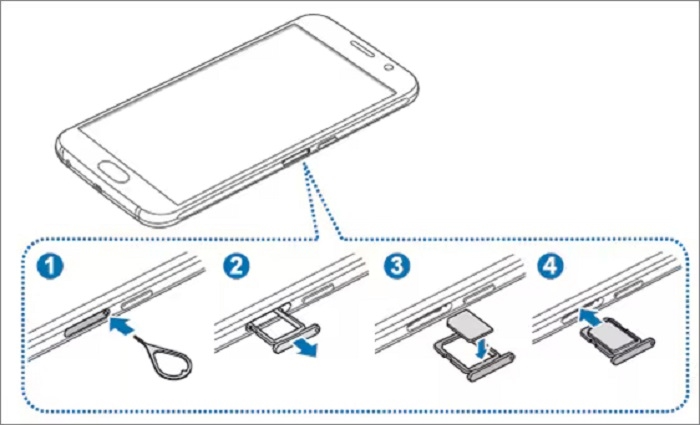
It’s pretty simple. Here we go.
Step 1: Turn Off Your Phone
You don’t always have to. But it’s safer.
Why turn it off?
- no software bugs
- SIM reads better
- no data mess-ups
Step 2: Locate the SIM Tray
Check your phone’s edges. All of them.
What to find:
- a rectangle shape
- a small hole
Go slow. Take your time. Many trays hide well. Like, really well.
Step 3: Insert the Eject Tool
Put the tool in the hole. Gently.
Remember:
- go straight in
- don’t angle it
- push soft, not hard
Step 4: Press Carefully
Push a bit. Just a bit. Feel a click? Good! The tray pops out. Just a little. Don’t force it. Ever.
Step 5: Pull Out the Tray
Now use your fingers.
- grab the edge
- pull slow
- take it all the way out
There! Now you can get to the SIM.
How to Insert a SIM Card Correctly
Most trays show you how. They’re shaped special.
Look for:
- cut corners
- card shapes
- maybe labels
Put the SIM just like shown.
Then:
- slide the tray back
- keep it flat
- push gentle till it’s in
Your phone should find the SIM. All by itself.
Common Mistakes
People mess up a lot. Simple stuff too.
Using Too Much Force
This is the big one. The worst.
People push too hard. Way too hard.
What happens?
- tray bends
- parts break
- stuff cracks inside
Light push works fine. Trust me.
Using the Wrong Hole
Phones have lots of tiny holes.
Like:
- mics
- speakers
- noise mics
Don’t guess. Check first.
Look close before you poke anything.
Using Thick Objects
Big tools hurt the tray. Bad.
Don’t use:
- nails
- fat pins
- screws
- sharp knives (yikes!)
Thin tools only. That’s the rule.
Inserting the SIM Incorrectly
Put it in wrong? You get:
- no signal
- SIM errors
- phone can’t find it
Check which way first. Always.
What If the SIM Tray Won’t Open?
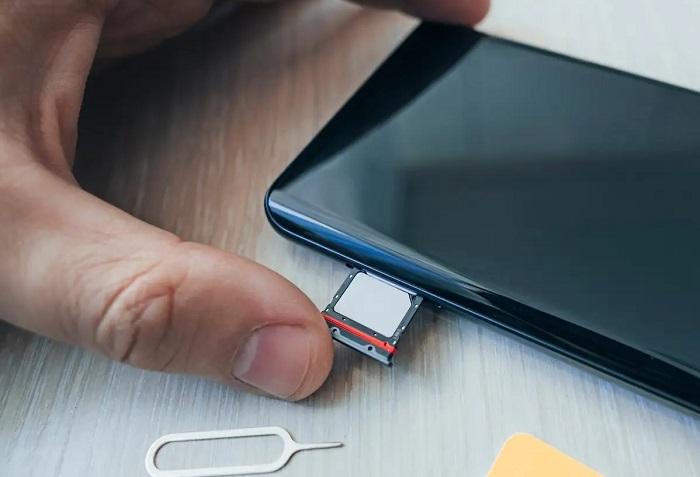
It happens. Don’t panic.
Could be:
- dirt stuck
- bent tray
- broken parts
- wrong hole
Try again. Careful though. Push firm but soft. Still stuck? Maybe get help.
What If the SIM Tray Is Stuck?
Stuck trays happen because:
- dirt inside
- water damage
- something bent
Don’t pry with sharp stuff. Please don’t.
It makes it worse. Way worse.
Instead:
- check for dirt
- try the tool again
- maybe visit a shop
How to Clean a SIM Tray
Dust builds up. It does.
Clean it to avoid problems.
Use:
- a dry soft cloth
- gentle air puffs
Don’t use:
- water
- cleaning stuff
- harsh chemicals
Water kills phones. For real.
Why Phones Still Use SIM Trays
Even now in 2026, lots of phones use real SIMs.
Why?
- easy to switch carriers
- simple to move numbers
- works everywhere
Real SIMs are still big. All over.
What About eSIM Phones?
Some new phones use eSIM. Digital SIM.
An eSIM:
- lives in the phone
- no tray needed
- turns on online
Fancy phones now have:
- just eSIM
- real SIM plus eSIM
- many eSIM profiles
If your phone is eSIM only? No tray at all.
How to Tell If Your Phone Uses eSIM
Check:
- phone specs
- carrier menu
- your manual
New phones often have eSIM.
Some have both kinds. Nice!
Can Opening the SIM Slot Damage the Phone?
Not if you do it right. Trays are made to open. That’s their job.
Problems come when folks:
- force stuff
- use bad tools
- poke wrong holes
Do it right? You’re fine.
Why You Might Need to Open the SIM Slot
People open trays for lots of reasons.
Like:
- new SIM card
- broken SIM
- new carrier
- network problems
- better SIM
- check if it’s in right
It’s normal. Everyone does it.
SIM Tray Problems After Dropping a Phone
Drop your phone? The tray might get messed up.
What goes wrong:
- tray shifts
- metal bends
- SIM comes loose
No signal after a drop? Check the tray first.
How to Know If the SIM Was Inserted Correctly
Good signs:
- signal bars show up
- carrier name appears
- calls work
- data works
Not working? Take it out. Try again.
Safety Tips Before Opening a SIM Tray
A few tips help. A lot.
Work on a Flat Surface
Why?
- SIMs don’t fall
- trays don’t get lost
Keep the Tray Clean
Dust causes problems. Bad ones.
Avoid Rushing
Small SIMs get lost easily. Super easy.
Keep the Eject Tool Safe
You’ll need it again. Trust me.
Quick Summary Table
| Task | Recommended Action |
| Open SIM slot | Use eject tool |
| Insert SIM | Follow tray outline |
| Tray won’t open | Apply gentle pressure |
| Tray stuck | Check for debris |
| SIM not detected | Reinsert properly |
| eSIM device | No tray required |
| Dirty tray | Clean carefully |
FAQs
How do I open a SIM card slot?
Use the tool. Press softly in the hole.
Can I use a paper clip?
Yeah, if it’s thin enough.
What happens if I push into the wrong hole?
You might break the mic. Or other stuff.
Do I need to turn off my phone first?
It’s better. Not always needed though.
Why won’t my SIM tray open?
Maybe stuck. Or dirty. Or bent. Or the wrong hole.
Opening a SIM slot looks scary. First time, anyway. But once you know where it is? And how does the tool work? It’s easy. Really easy.
Just remember:
- use the right hole
- push gentle
- don’t force it
- keep it clean
Maybe you’re:
- switching carriers
- fixing a broken SIM
- solving network stuff
- getting a new phone
Knowing how to open a SIM slot? Saves time. Saves stress. Saves money too. And hey, in 2026, even with eSIM getting big, real SIM trays are still everywhere. So it’s good to know this stuff. Every phone user should.